

For sound design, mastering, or editing a bunch of audio files, an audio editor is often a more suitable choice than a digital audio workstation. In this article, we are focusing on the best free audio editing software for PC, Mac, and Linux.
For the past several years, the only two notable freeware audio editors in existence (probably a few more if we include Linux, though) were Audacity and Wavosaur. There were other free alternatives out there, of course, but many of those were either designed for fairly basic use (making MP3 ringtones or performing the simplest of audio edits) or were severely limited trial versions of commercial software.
There was also (and still is, unfortunately) a considerable amount of free audio editing programs of questionable quality that include toolbar installers, and various bloatware. With that in mind, we paid special attention to only include the best and 100% clean audio editing software on this list. If you need more functionality, check out our article about free music production software.
Best Free Audio Editors
My goal with this article was to make a selection of professional-quality freeware tools that can be used for recording, editing, and mastering audio with ease. As always, I would advise you to test all the available audio editing software listed below but stick to using only one or two programs once you decide which ones suit your workflow the best. The audio editors featured in this article are listed in no particular order.
1. Audacity (Linux, macOS, Windows)
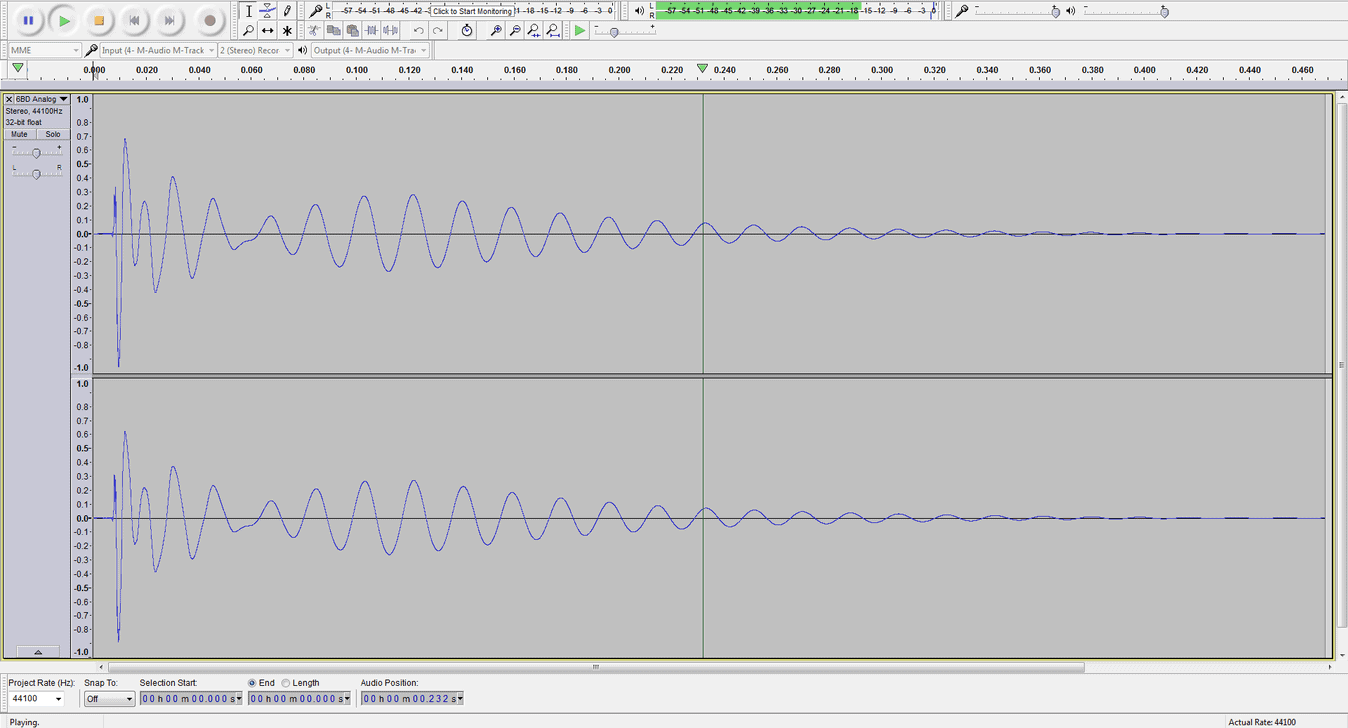
For recording and basic audio editing, Audacity is still considered to be the best freeware audio editor by most users. I’ve been using it for years (it’s one of the first audio-related apps I’ve ever installed) and it’s always been a very reliable and stable piece of audio editing software. For recording, cutting audio files, adding fade-ins and fade-outs, or applying effects, Audacity is a great choice. The program can also load third-party VST plugins and comes with its own set of (pretty decent) effects.
One aspect of Audacity that isn’t so great is the user interface. It kept the same, bland grey look throughout the years, and would definitely benefit from a facelift. On the other hand, the simple UI design makes Audacity one of the best performing audio editors on this list and is a good choice if you haven’t updated your computer hardware in some time.
Audacity works equally well on Windows, Mac OS, and Linux. You can download 32-bit and 64-bit versions of the program for all platforms. It is also available as a portable app, which is fantastic for users who like to transfer their audio editing tools between multiple computers.
Download: Audacity (25.8 MB)
2. Wavosaur (Windows)
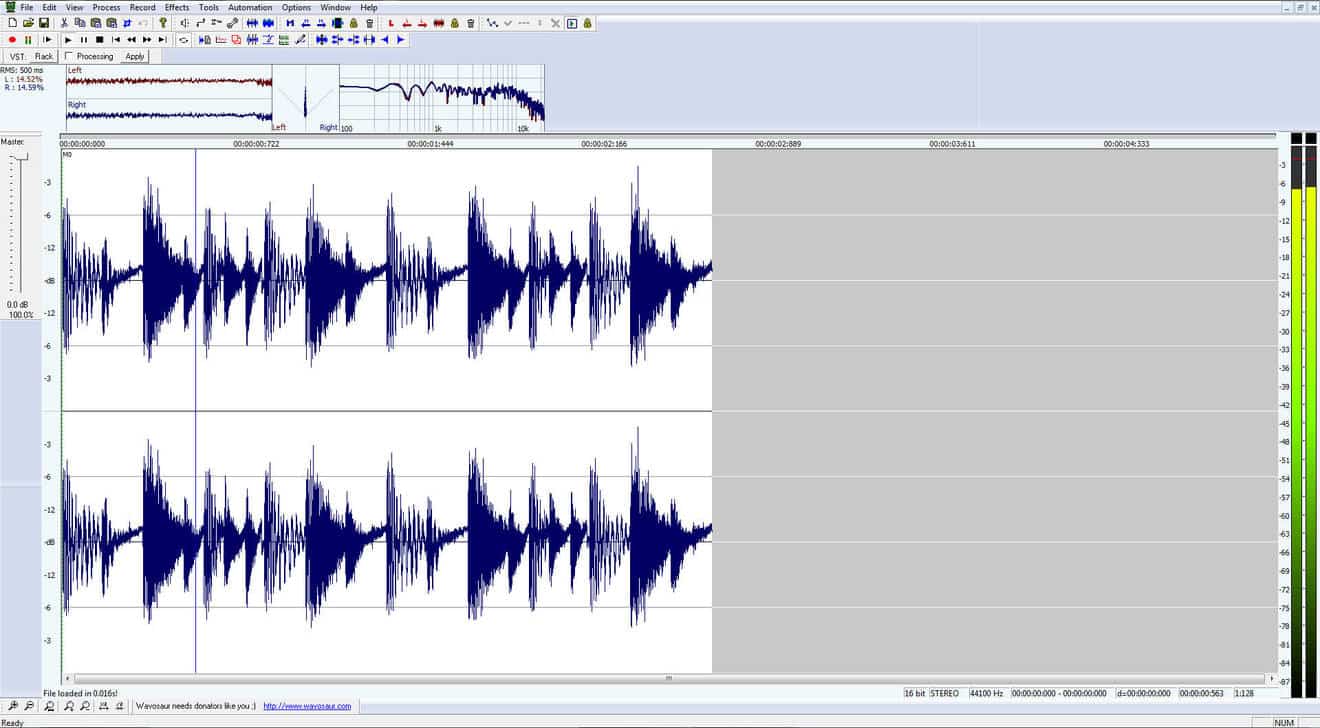
For the most demanding of editing tasks, I still stick to using Wavosaur. It can get buggy sometimes (most noticeably when using VST plugins), but most of the time it works just great. It’s also a handy tool for batch processing and converting a large number of audio files. The things that make Wavosaur stand out from the competition are its extremely fast and streamlined workflow and the handy loop editing features.
Download: Wavosaur (1.3 MB)
3. ocenaudio (Linux, macOS, Windows)
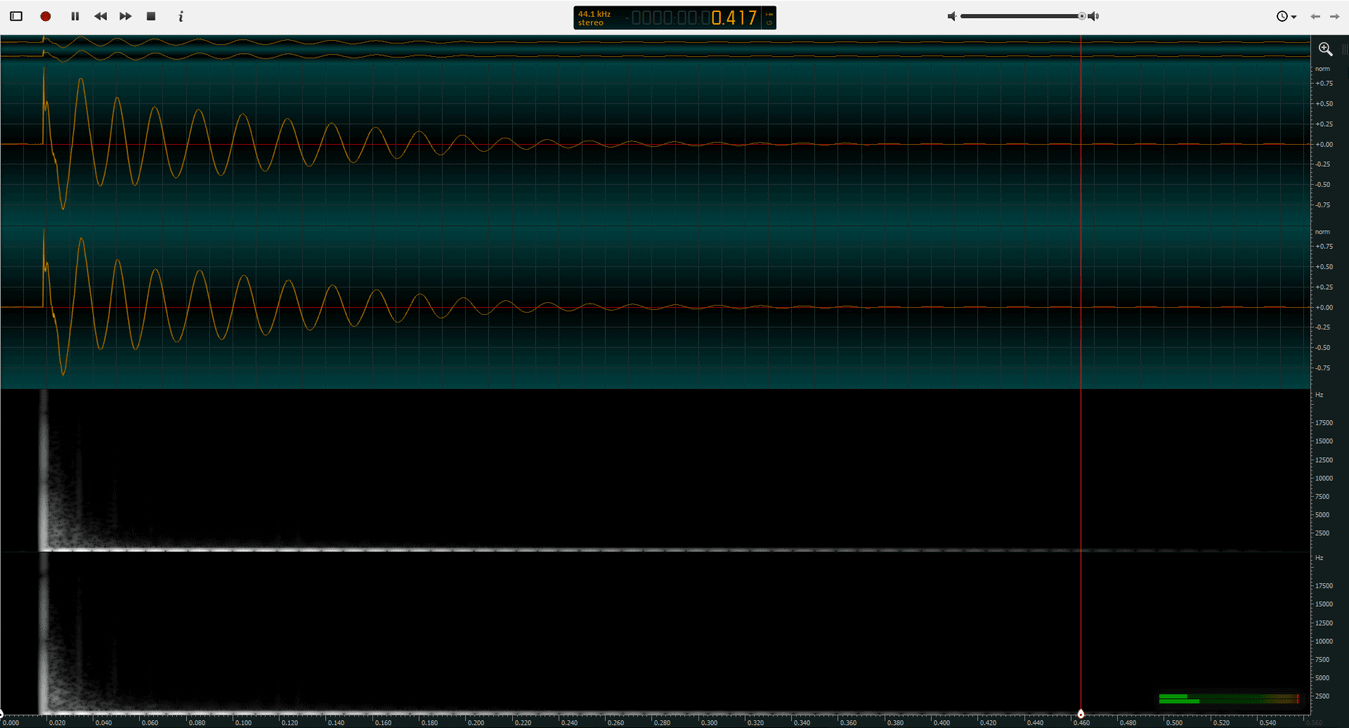
ocenaudio was introduced back in 2013 and has since become a rather capable and fully stable audio editor. It is a fully cross-platform audio editor (both Windows, macOS, and Linux versions are available) that loads VST effects, supports editing of large audio files, and has a clean, modern-looking interface. The software is lightweight and a portable version of the app is also available.
The clean user interface makes ocenaudio the best-looking freeware audio editor on the market. It seems that most other audio editing programs on this list are stuck in the early 2000s design-wise, but this is not the case with ocenaudio. Another strong point is the software’s streamlined user interface. ocenaudio is optimized for handling the most important audio editing tasks quickly.
Download: ocenaudio (42.4 MB)
4. WaveShop (Windows)
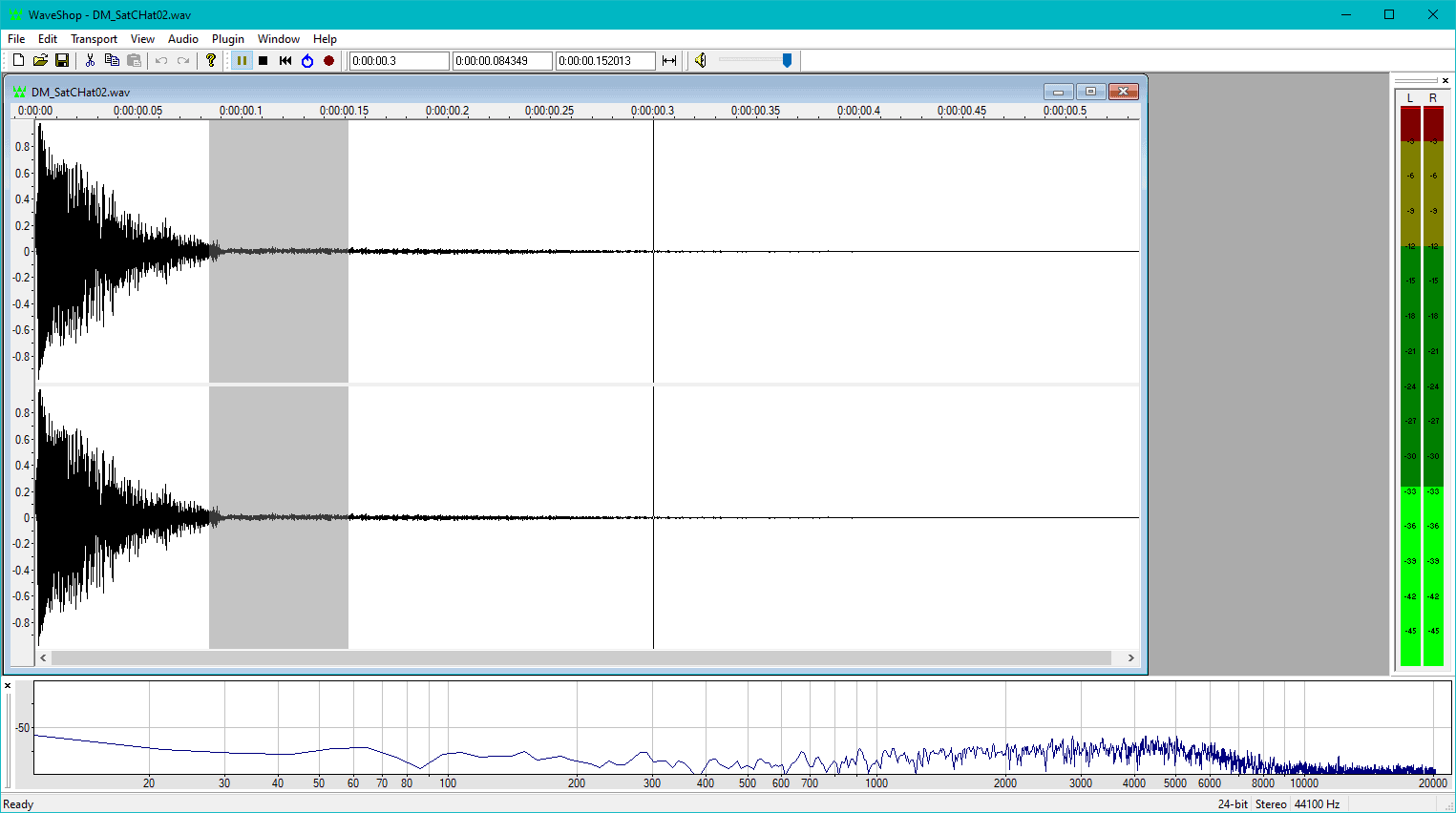
WaveShop is a portable open-source audio editor for Windows. The cool thing about WaveShop is that it is a bit-perfect audio editing program. What this means is that samples aren’t altered unless the user changes them intentionally. This allows for precise, surgical micro edits of a rendered audio file. For example, such a feature is useful when fine-tuning a mastered track without corrupting its dither.
Feature-wise, WaveShop offers the essential audio editing features but not more than that. It comes with a small set of effects and provides all the editing tools needed in a basic audio editor. Tools like normalization, zero-crossing detection, sample rate conversion, audio format conversion, and audio fade in/outs are all included. WaveShop is focused on workflow efficiency and speed while delivering bit-perfect audio editing.
Download: WaveShop (3.19 MB)
5. Acoustica Basic Edition (Windows, discontinued)
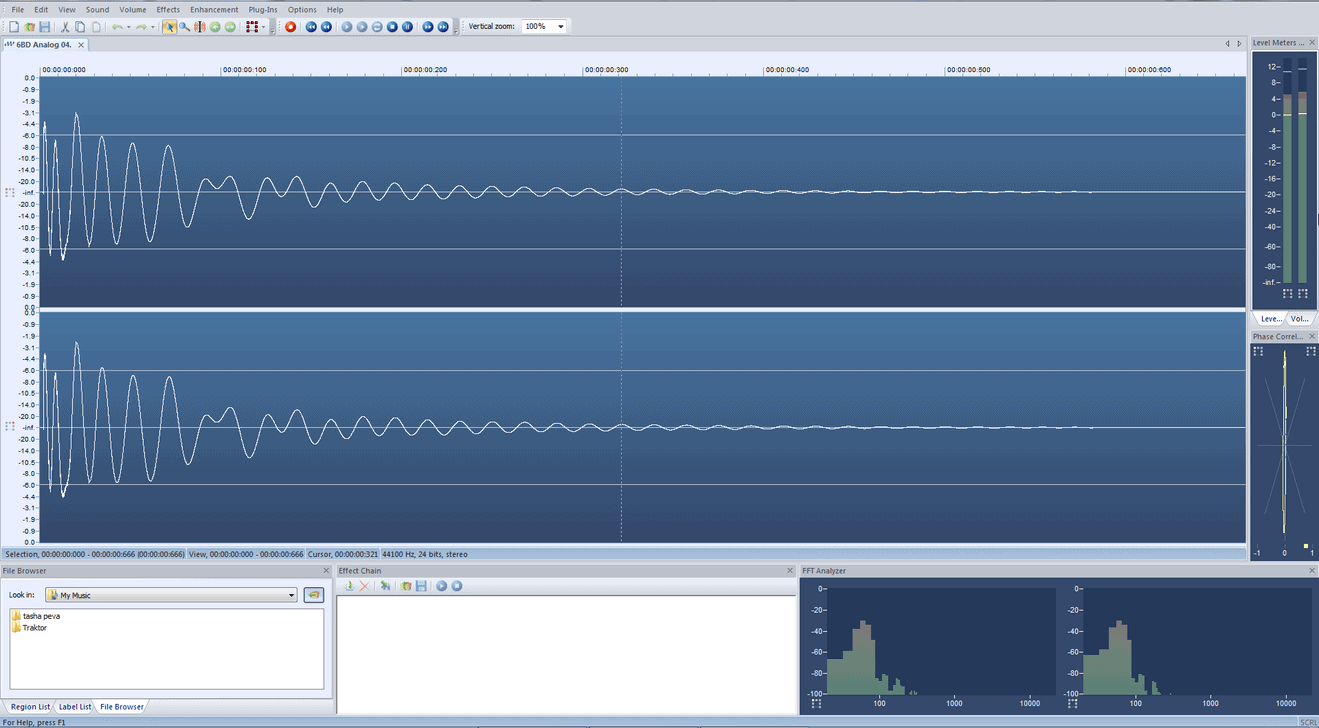
Acoustica Basic Edition is an older version of Acon Digital’s flagship audio editor. Sadly, the Acoustica Basic Edition app is now discontinued. It can still be downloaded from the developer’s website but it won’t be updated. Only a 32-bit Windows installer is available.
Despite being a lightweight free version of a commercial application, Acoustica Basic Edition is still a very capable audio editor, with several features you definitely won’t find in other freeware alternatives (convolution reverb and a virtual phono preamp, for example). This program also supports VST effects and features a handy set of analysis tools in the main window.
Download: Acoustica Basic Edition (4.65 MB)
Is our list missing a free audio editor that you enjoy using? Let us know in the comments section below. For more freeware programs and plugins for making music, visit it our directory of free VST plugins.

12 Comments
Studio one free is a stripped down version of Studio One 2. With the download you are given a trial version of the full software and the free version which the trial version will revert to after 30 days. Studio One free does not support third party vst’s, but comes with a modest array of native plugins for editing audio as well as Presence, a native sample bassed synth. A very useful tool for chopping beats or samples and recording audio. http://studioone.presonus.com/free/
Nazar
onVery interesting!
Just tested some editors to find adaptive noise reduction option.
The Audacity has the best but it’s not flexible in comparision with Adobe Audition tool.
WavePad has adaptive noise reduction but without any controls.
And don’t forget about Creative Wavestudio. This one is good for basic edits. http://www.softpedia.com/get/Multimedia/Audio/Audio-Editors-Recorders/Creative-WaveStudio.shtml
faxn
onHi,
just wanted to know if there is a sokftware available that can analyze the exact pitch (frequency) of a thousands of wav files and then store it in the filename of each wav file in batch mode.
For example:
sample1_A0-25ct.wav
sample2_G5+19ct.wav
and so on..
I want to prepare my wavs for building sampling instruments and i dont want them to analyze manually.
Looking forward to hearing from you soon
Andy
onI wonder if you ever found an answer.
Anyway, I have made exactly that:
https://gist.github.com/r4dian/4e5146ca298a88822ce88061ffe8cda1
Kennykeys
onI wouldn’t be caught dead without Goldwave. It keeps getting better.
Tomislav Zlatic
onIt’s not freeware, though?
Bryan L
onWhat about AVS audio editor? I’ve found that to be versatile and also capable of working with VERY large files. Don’t know about its applicability to VSTs.
Bruno de Souza Lino
onAcoustica stopped offering the Basic Edition.
root
onWaveshop is a free audio editor for WIndows.
It features non-destructive editing and handles variety of formats.
It is very fast and easy to use.
http://waveshop.sourceforge.net/
Tomislav Zlatic
onInteresting, thanks for the suggestion!