



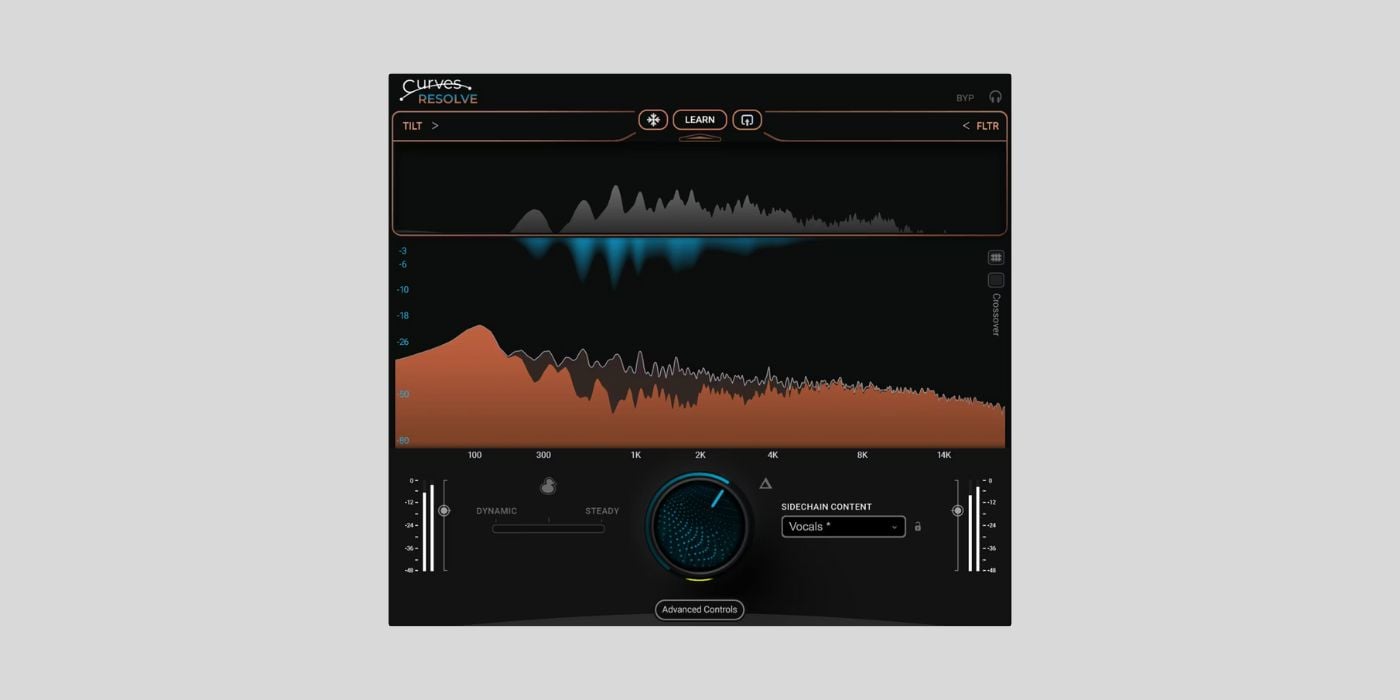
Waves Audio has finally released Curves Resolve, a new mixing plugin that’s available for free for the next 48 hours only.
I say finally because James covered this release twice before: first when Waves teased an upcoming freebie, and again when details about Curves Resolve leaked online.
This time, the plugin is officially available to download as a limited-time freebie, which means we can properly dig into what it actually does and how it works in practice.
Curves Resolve is designed to solve one of the most common and, at the same time, frustrating mixing problems: frequency masking between tracks.
Instead of having to manually EQ multiple channels and guess where clashes occur, Resolve lets you take a different approach. You insert the plugin on the track you want to affect, feed the competing signal into its sidechain, and let the plugin listen to both sources. From there, it carves space only when and where a conflict occurs.

The main Resolve knob controls the overall processing intensity. When you turn it up, the plugin dynamically reduces overlapping frequencies in the processed track whenever the sidechain signal is present. When the sidechain isn’t active, the processing backs off automatically, which keeps things transparent and musical.
Resolve offers both dynamic and steady carving modes. In dynamic mode, the EQ moves in real time, reacting moment by moment to the incoming sidechain signal.
In contrast, the Steady mode is based on a learned frequency profile, which you can create using the Learn function. This allows the plugin to analyze the sidechain signal over time and build an average response curve.
A dedicated slider lets you blend between fully dynamic behavior and a more static, EQ-like response, which I found particularly useful for elements like vocals that need consistent space in a dense arrangement.
There are also snapshot presets optimized for common mix scenarios, such as vocals versus instruments or kick versus bass. Selecting a snapshot adjusts internal parameters automatically, and this gives you a solid starting point without locking you into a fixed sound.
In the classic kick-and-bass scenario, for example, Resolve reshapes the bass so it moves around the kick instead of competing with it. You get improved definition and groove without thinning out the low end.
Curves Resolve includes some pretty useful ducking options. You can choose between wide-band ducking or frequency-specific ducking, depending on whether you want a traditional level-based response or something more surgical.
Additional controls for attack, release, precision, and sidechain filtering give you deeper control when needed, but they don’t get in the way unless you want to go into detail. During my quick test, I got excellent results using just the main knob and a snapshot.

A nice bonus is Curves Resolve Live, a zero-latency version included with the plugin. This makes it suitable for tracking, live processing, or any situation where latency would otherwise be an issue.
I know Waves’ update plan is a sticking point for many users, but there’s no denying that Waves knows how to make high-quality mixing tools. Curves Resolve is a super useful plugin, and it’s easily the best freebie they’ve ever offered.
It also shows how much the plugin industry is changing. Until a few years ago (before 2020), getting something like this for free was unimaginable.
Curves Resolve is available for macOS and Windows in VST3, AU, and AAX formats. macOS requires Ventura 13 or newer, while Windows users need Windows 10 or 11. The plugin supports Intel and Apple Silicon systems and includes a zero-latency Live version.
This article contains affiliate links, which means BPB may earn a commission if you purchase through those links at no extra cost to you.Download: Curves Resolve (FREE for 48 hours)
Deal of the day 🔥: Get the VATRA mix finisher plugin by Flame Sound!More:
- JUCE launches a FREE audio plugin development course for beginners
- IK Multimedia showcases ReSing (FREE) and a new expansion pack
Last Updated on January 20, 2026 by Tomislav Zlatic.
