



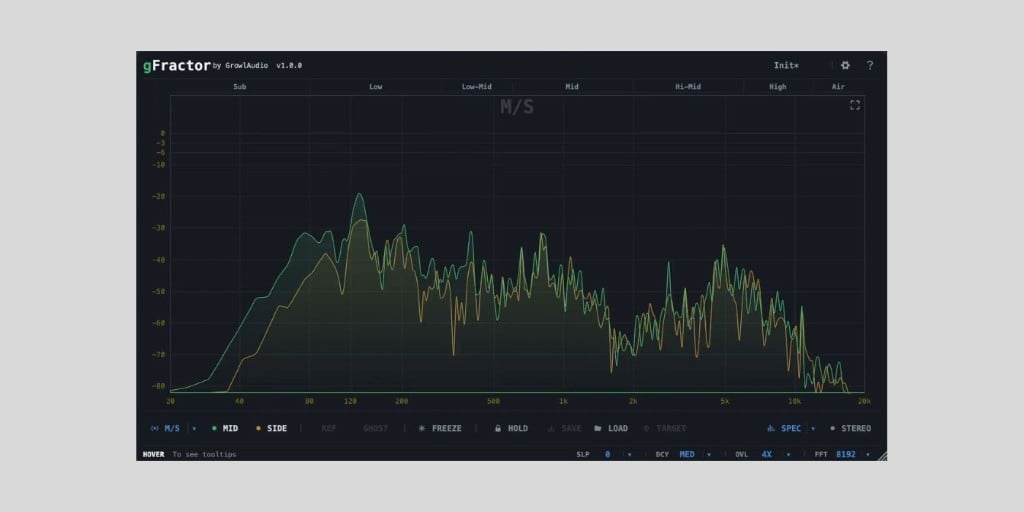
Growl Audio has released gFractor, a completely free spectrum analyzer plugin for macOS, Windows, and Linux.
I’ve been using Voxengo SPAN as my go-to spectrum analyzer for almost twenty years at this point. It’s basically muscle memory, and it’s always been the best free analyzer to reach for.
So I’m not switching anytime soon. But if you’re new to producing, or you just want something different, gFractor is worth a look.
The interface has a more clinical feel compared to most other analyzers, and I like how the customization controls are at the front rather than being buried in menus.
The plugin offers three analysis modes (Mid/Side, Left/Right, and Transient/Tone) that you can instantly switch between.
The Transient/Tone mode is pretty cool. It splits sustained harmonic content from percussive transients and shows them as separate curves, which isn’t something most other analyzers do.

There’s also a built-in oscilloscope mode (press V) that visualizes the waveform in real time, with optional spectral coloring that maps frequency content onto the waveform itself so you can see at a glance where your low, mid, and high content sits in time.
Sidechain comparison is handled with a single key swap. Route a reference track to the sidechain input, and you can either show the reference as a separate curve, overlay it as a “ghost” behind your live signal, or hold a key to peek and release to snap back.
You can press Z on your keyboard to freeze the display when you want to inspect a specific moment. The Peak Hold curve can be saved to a file and loaded back into any session as a reference overlay, which is handy for matching tonal balance against a target across mixes.
The stereo analysis panel covers a goniometer, a correlation meter, and a per-octave stereo width display, so you can see exactly which frequency bands are wide and which are centered.
There’s also a precision band-pass solo: right-click and drag anywhere on the spectrum to solo a frequency range with a bell filter, or click a band label to jump to a standard frequency range without leaving the plugin.
The dB range, frequency range, transient-detection sensitivity, curve colors, and three theme options are all customizable, and pretty much every feature has a keyboard shortcut (W for full screen, etc.).
It’s also lightweight, and I give it bonus points for a completely painless download: a direct download from the developer’s website with no account registration required.
gFractor (v1.0.0) is available in VST3 and AU formats for macOS 10.15+ (Intel and Apple Silicon), Windows 10+ (64-bit), and Linux (Ubuntu 20.04 or equivalent, 64-bit).
Download: gFractor (FREE)
Deal of the day 🔥: Get the VATRA mix finisher plugin by Flame Sound!More:
- PSP Audioware releases PSP Spector, a FREE 31-band spectrum analyzer plugin
- Crickets Audio Strata: see every track in your mix in a single spectrum view (extra 10% OFF)
Last Updated on May 18, 2026 by Tomislav Zlatic.
