



Darkpalace Studio has released PIRANHA, a multi-band waveshaper and clipper plugin for macOS, Windows, and Linux. We’re taking a closer look below and giving away one free copy to one lucky BPB reader.
You might remember Darkpalace Studio from CATERPILLAR, the free stereo enhancer we featured on BPB before. PIRANHA is a more aggressive tool than the freebie, and it’s built for everything from clean mastering-style clipping to much heavier distortion and sound design.
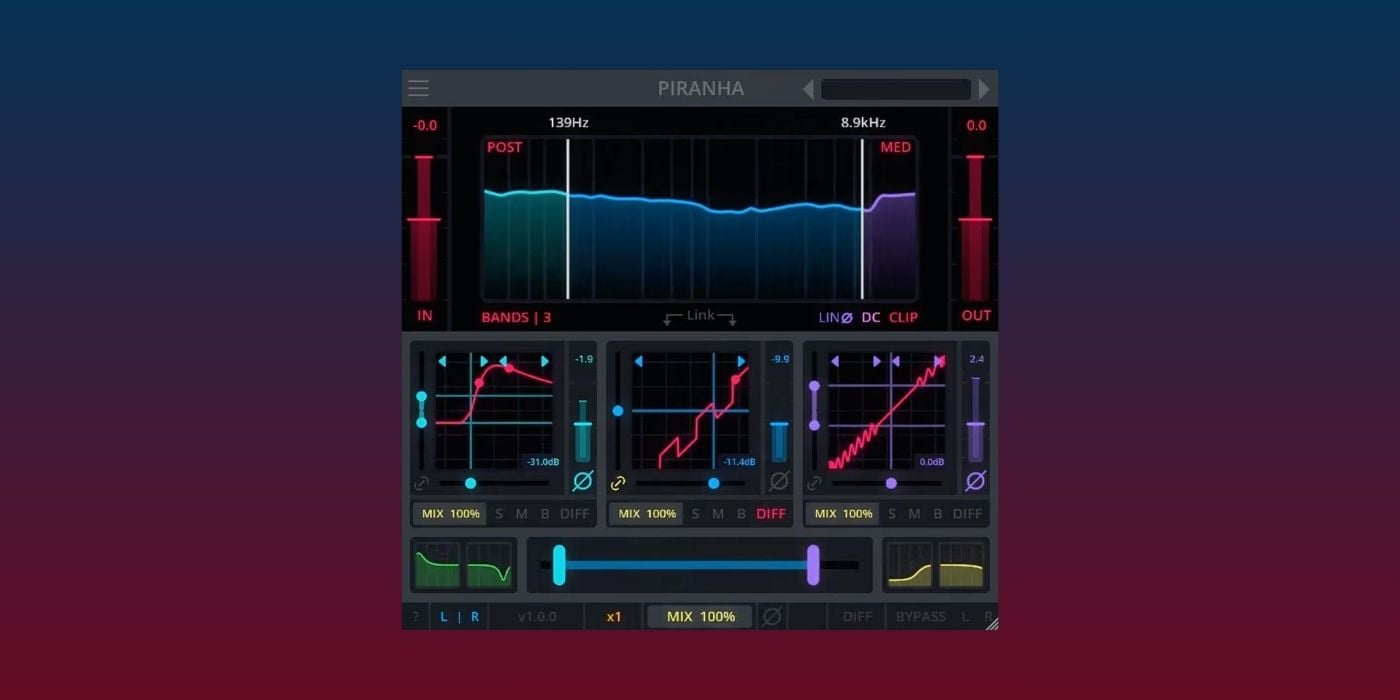
PIRANHA lets you split the incoming signal into up to three independent frequency bands using adjustable crossovers. You can keep it simple as a single-band clipper, or use the multiband setup to process lows, mids, and highs with different waveshaping curves.
This is, of course, useful when you want distortion to hit one part of the spectrum harder than another. For example, you could keep the low end more controlled while pushing the upper mids into a brighter shape, or use separate settings to make a bass sound more aggressive without completely wrecking the bottom end.

Each band has its own threshold and shape controls, with a large collection of transfer curves covering hard clipping, soft clipping, bitcrushing, wavefolding, analog-inspired saturation, time-modulated shapes, and more experimental modes.
The plugin also supports symmetrical and asymmetrical waveshaping, so the upper and lower halves of the waveform can be processed differently.
That asymmetrical side is one of the more interesting parts of PIRANHA. You can unlink the threshold controls and push the positive and negative halves of the waveform into different curves. It can get nasty (the good kind) very quickly, depending on how far you take it.
PIRANHA also includes per-band dry/wet mix sliders, bypass, solo, mute, gain, phase inversion, and Diff mode. Diff mode lets you hear the difference between the processed and unprocessed signal, which is super handy when you want to check exactly what the waveshaping is adding before blending it back into the mix.
The plugin can run its multiband processing in Linear Phase or Zero Latency mode. Zero Latency is the better fit for tracking and live use, while Linear Phase can help when you want to avoid phase shifts around the crossover points.
There are also two Emphasis EQ bands before the waveshaping stage, plus low and high post-EQ filters after the processing. The Emphasis EQ is useful for driving a specific frequency area into the shaper while compensating afterward, instead of simply boosting that frequency at the output.
Pricing & Availability
All Darkpalace Studio plugins are DRM-free, with no intrusive installers, no data collection, and free lifetime updates.
PIRANHA costs €45 and is available in VST3, AU, CLAP, and LV2 formats. It runs on Windows 10 or 11, macOS 13 or higher on Apple Silicon and Intel Macs, and Ubuntu 22.04 or higher.
Download: Darkpalace Studio PIRANHA (€45)
The Giveaway
To enter the giveaway, answer the following question in the comments below: What would you use Pirahna’s multi-band processing for?
We will pick one random comment and announce the winner here on July 1st.
The winner is Spikefish. Congratulations! :)
Last Updated on July 1, 2026 by Tomislav Zlatic.
