



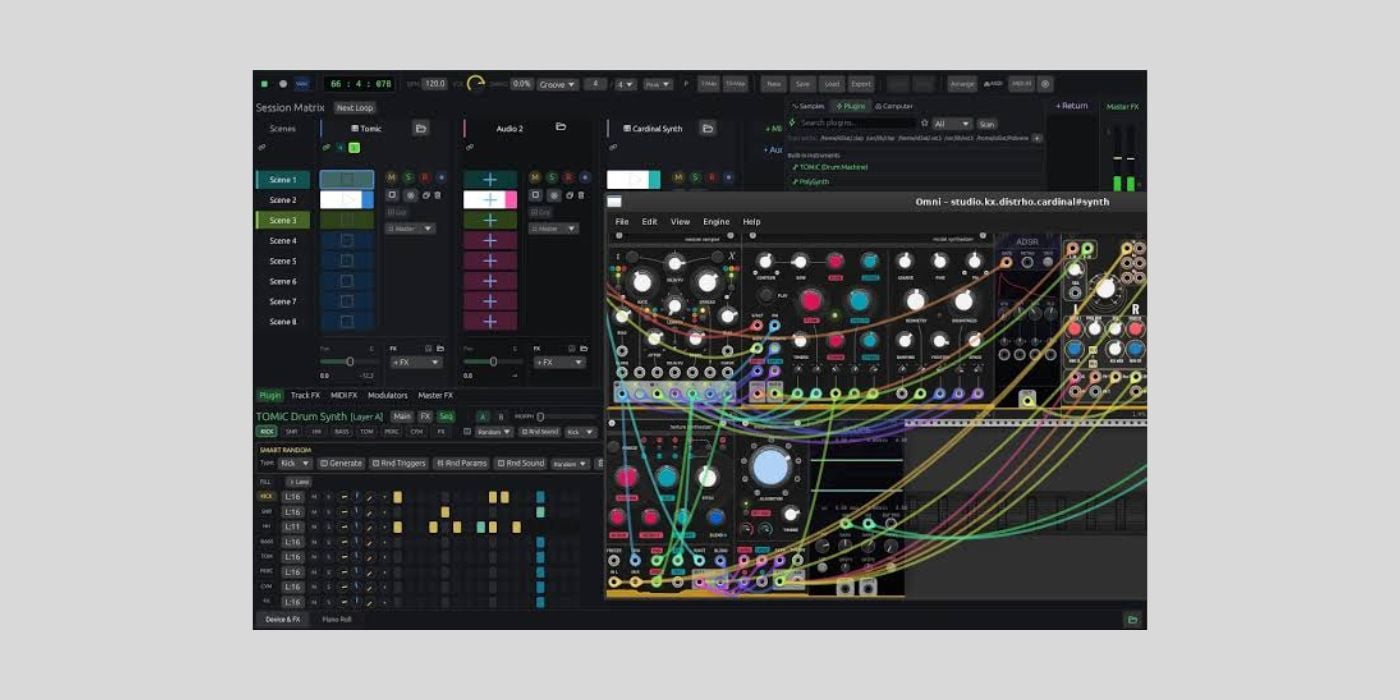
From developer Tomasz Głuc comes the alpha version OMNi, a free Rust-based DAW.
While our favourite plugins may change over time, it’s not uncommon to stick with the same DAW for the entirety of our musical lives. After a brief spell with Cubase, I made an early jump to Logic Pro, and other than making the odd exception for specific projects/collaborations, I’ve never strayed, for better or worse.
However, in this current climate, when new plugins are appearing by the minute, we’re also presented with many new options when it comes to our choice of digital audio workstation.
One of those new options is OMNi, developed by Tomasz Głuc.
What is OMNi?
OMNi is a free digital audio workstation built entirely in Rust.
It’s the only DAW written entirely in Rust, and it prioritises performance, reliability, and stability.
A big part of that reliability and stability comes from its lock-free architecture, which helps prevent audio dropouts.

OMNi is also the world’s first DAW to feature native AI sample generation and image-to-sound synthesis.
OMNi is in alpha (v0.1).
What is Rust and why does it matter?
Rust is a system programming language that helps developers build efficient and reliable apps without common memory management issues associated with some other languages.
Rust provides a platform for engineers who want to go the extra mile for memory and thread safety with extremely strict compile-time checks.
This deep analysis means engineers often trade much longer compile times for a more robust and efficient outcome.
As someone with no coding experience, I know that’s a very simplistic description of a complex niche, and I’d encourage anyone interested to dig deeper for themselves, and anyone with more hands-on experience to share in the comments.
Somewhat surprisingly, a language that doesn’t offer the immediacy of others is becoming increasingly popular in a time when speed often matters more than everything else.
One reason for the increased popularity is that Rust, in many cases, offers a safety net that catches errors in AI-generated code that you might otherwise miss.
According to recent analysis by GitHub, type-check failures account for a massive 94% of compilation errors in AI (LLM)-generated code.
In addition to catching those errors, Rust has the potential to provide error feedback directly to the LLM so it can correct the error(s) automatically. There are lots of variables, including differences in training data for LLMs from one language to another, so Rust isn’t an absolute fail-safe.
Whether something is coded with or without the help of AI, the performance and stability benefits of using Rust can only be positive.
For example, the lock-free audio architecture I mentioned in OMNi ensures that slow background tasks will never slow the performance of a real-time, high-priority audio thread. Again, a simplified example of a more complex process.
What’s the vibe?
The reason I expanded on Rust and its connection to AI is that I see the term vibe-coded attached to conversations around OMNi. I’ve also seen comments pushing back, saying there’s more to vibe-coding than meets the eye when it comes to more complex projects.
I can talk bout harmony or theory for days, but in an area like this one, where I don’t have the knowledge, I’m happy to defer to those who do.
It’s easy to look for the typical signs of vibe-coding or AI-generation in websites, GUIs, or YouTube content, and there are some around OMNi. But it’s not always as clear-cut as walking into a professional wrestling locker room and being told no one is on steroids.
So, I reached out to the dev to ask about the use of AI in making OMNi. Unfortunately, the developer was clear that he didn’t want to engage in that conversation, and asked me to focus on other areas (which I will do; stick with me).
I have my views on AI in music, like everyone else, and I’ve shared them enough, so it’s not about being pro or anti-AI; if the discussion is already happening, I feel it would be beneficial to provide transparency for potential users.
AI is here, so whatever comes along, we’d like to highlight any positives and negatives equally. I was a bit disappointed that the developer didn’t share my enthusiasm for transparency on the subject because I think it goes a long way toward building a strong bond with users.
Lastly, before finally moving on, we’re talking about a DAW built on over 270k lines of code in Rust, not a vibe-coded Gain slider, and I don’t want to undervalue any time and effort on the developers’ behalf; I just wanted to summarise it more accurately.
Compatibility
OMNi is a standalone app, available for Windows and Linux. That’s good news for the sometimes-forgotten Linux community, but I’ve no news on the likelihood of a macOS version arriving.
The most recent update introduced LV2 plugin support, in addition to CLAP and VST3.
Interface and workflow
One thing I like about OMNi is that the developer has a relatively lengthy interface overview on YouTube. The overview takes baby steps through the GUI sections, controls, and displays.
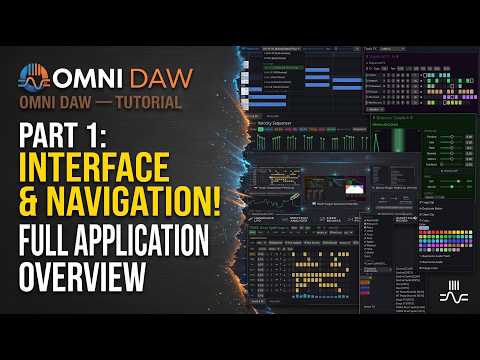
The interface and workflow are where a DAW lives or dies, and even if experienced producers don’t need every detail explained, I like that OMNi allows potential users to explore the interface this way before downloading.
You’ll see lots of familiar elements, and as with most DAWs, transport controls, time/tempo settings, load/save, etc. might be arranged slightly differently, but are all easy to find.
The two main work screens are Arrangement View and Session View.
Arrangement View is the familiar linear timeline where everything, including automation, etc., plays out clearly, and Session View is a dedicated clip launcher not too unlike Ableton’s Session View.
There is no dedicated mixing window, and although you have the tools you need through each track’s mixer strip, some like to throw the mixer window on a second screen; maybe that’s a future consideration.
Other common elements are housed in the tab bar at the bottom of the screen. The two main tabs are Device & FX and Piano Roll.
Device & FX has multiple sub-tabs that show the Plugin, TrackFX, MIDI FX, and Modulators assigned to the selected track. You can also access Master FX from the same tab.
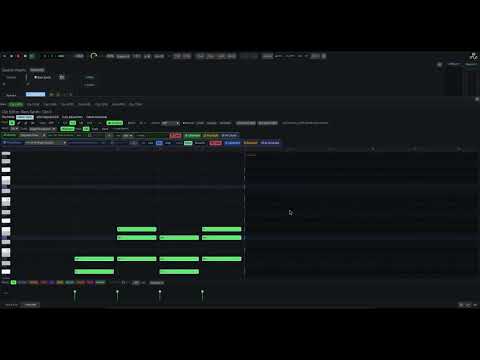
With Track FX, OMNi has implemented a drag-and-drop workflow that allows you to arrange the FX chain for any track in a more visually intuitive way than some DAWs, and I think that’s a nice touch.
On the surface, nothing seems alien to me as a longtime user of another DAW, but finding out how intuitive it really is takes some time and repetition.
Features galore
OMNi would appear to be a suitable name because this DAW does a bit of everything; certainly relative to any new DAW in alpha.
Native sample generation
Since it’s a first, we might as well start here.
You provide a prompt and a few variables, like length, prompt influence, and whether it’s looped or not, hit Create, and wait for your sample.
It’s a quick process, and I imagine results will vary drastically based on your prompt.
There’s a short YouTube clip showcasing the native sample generation powered by ElevenLabs.
I don’t like sample generation, in or out of my DAW, but there’s certainly a market for it.
I’m not against anything that fills gaps we can’t fill ourselves, but how much creativity or potential human interaction you delegate is a slippery slope.
I don’t want the process of looking for samples, whether in digital libraries or the old-school approach of crate-digging, to be lost.
I’d rather have to look, and keep that experience, than create it through text; but some users will love it!
Additionally, a built-in sampler offers advanced sample slicing and multiple time-stretching modes.
Fourteen synth engines
OMNi offers fourteen synth engines, including physically modelled acoustic instruments.
There’s one built-in synth you might already be familiar with: the TOMiC Drum Synth, an entrant in the current KVR Developer Challenge (although there are two versions of TOMiC).
Others include Bass Synth, PolySynth, Alchemy, Iris (image-to-sound spectral synth powered by Gemini 2.5 Flash), and Scratch Deck.
To give you some idea of the scope of these synths, PolySynth offers 16-voice polyphony, 8-voice unison, 31 oscillator shapes, 10 filter models and distortion types, a JUNO-style chorus, three ADSR envelopes, a mod matrix, and more than 140 automatable parameters.
That’s pretty comprehensive for a built-in synth from a DAW at this stage. What I’d love to see is some strong demo content, showcasing the sound quality of these synths and the acoustic instruments, including piano, violin, flute, and harp.
It takes time to put demo content together, but I’m sure that will come with time and feedback in this alpha stage.
Sixteen plugins
On top of the synths, you have sixteen built-in FX plugins that the dev describes as “engineering masterpieces,” and they include:
- f64 Precision EQ
- Compressor
- FIR True-Peak Limiter
- Algorithmic Reverb
- SVF Filter Pro (11 models)
- Saturator
- Delay
- Chorus
- Phaser
- Multiband Dynamics
- Noise Gate
- Transient Shaper
- Convolution Reverb
- Model Resonator
- Granular Clouds
- Sequenced FX
The FX parameter sequencer is an interesting addition, and a neat way to add precision variation.
Modulation and MIDI FX
OMNi offers fifteen modulation sources, a sixteen-step sequencer (per-track), and nineteen MIDI FX & generators.
It even has a native implementation of the Bjorkland algorithm (Euclidean Sequencer) to create Euclidean rhythms with a host of adjustable parameters.
Stability
Like any alpha, OMNi will come with bugs and issues that need to be ironed out, and if you’re on Windows or Linux and decide to give it a try, make sure you share your experience with the developer to help make future improvements.
Final Thoughts
OMNi is definitely reaching far and wide, which isn’t inherently a bad thing; there are more features than I’ve mentioned, and you need to check it out for yourself.
Although this isn’t a review of OMNi, my hope for the not-too-distant future is that updates focus on functionality and fixes without adding new major creative elements for a while so the dev can spend time refining and showcasing the quality of existing instruments, FX, modulators, and so on.
It’s very early days, and a long, time-consuming process.
Download: OMNi (FREE)
More:
- Tracktion releases Waveform 14 Free: our best FREE DAW for macOS, Windows, and Linux
- Flame Sound releases VATRA loudness and tone enhancer plugin ($39 intro price)
Last Updated on August 3, 2026 by Tomislav Zlatic.
