



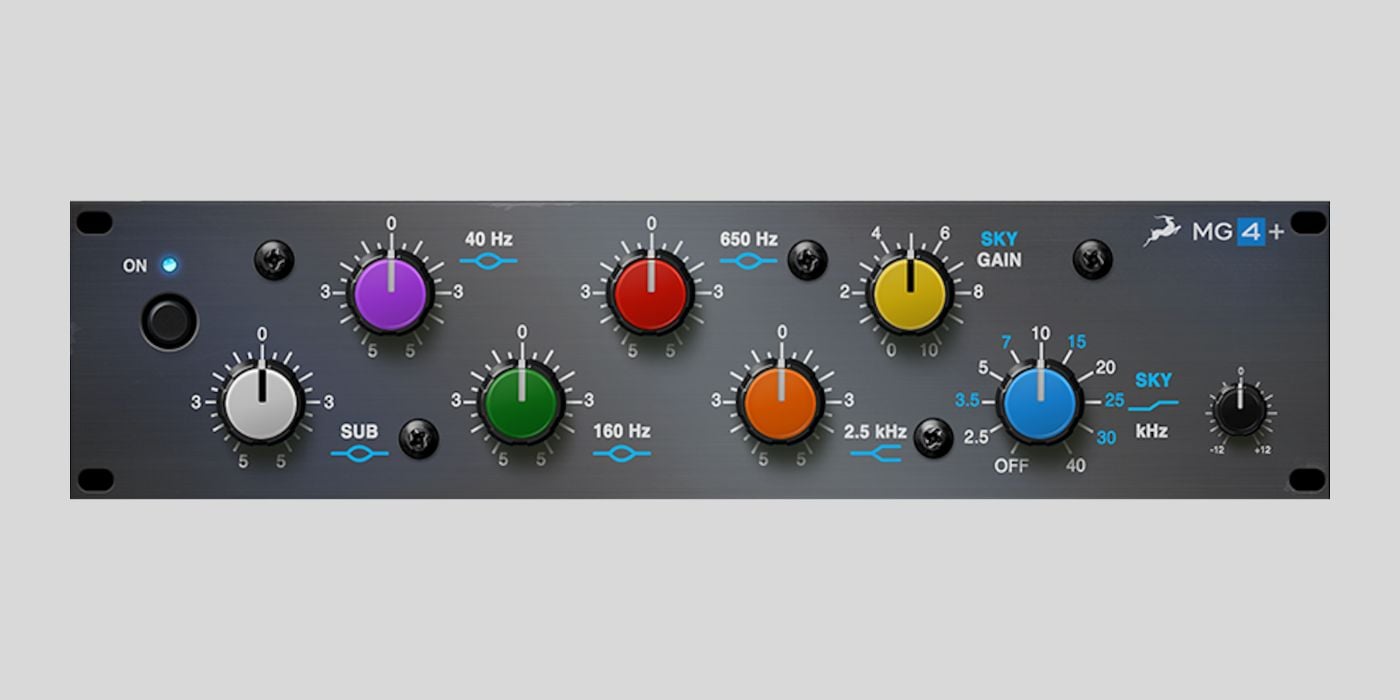
Antelope Audio has officially introduced individual perpetual licenses for its Antelope Audio Native plugin range, marking a new chapter for the company’s software ecosystem. To celebrate, the developer is offering the MG4+ EQ plugin as a free download for a limited time.
Previously, Antelope Audio’s plugins were primarily tied to its Synergy Core interfaces, where DSP and FPGA hardware handled the heavy lifting.
Now, you can purchase and use these high-end emulations natively in your DAW, without any dedicated hardware. That means anyone (regardless of owning an Antelope Audio interface or not) can experience Antelope’s analog-modeled processors.
The MG4+ is a six-band equalizer modeled on the classic Maag EQ4 Series 500 module, a studio favorite that has appeared on countless hit records.
As you may have guessed, the standout feature is the Sky Band, which adds a silky, open high end that instantly brightens vocals, drums, or acoustic instruments without harshness.
I love how Antelope’s version goes a step further by introducing a Sky Gain control, letting you fine-tune how much “air” you want to add.
Beyond the high-end polish, the MG4+ offers a linear-phase response, maintaining phase integrity even under heavy EQ moves. That means you can apply broad tonal shaping or surgical adjustments while keeping your mix clear and transparent.

I tested MG4+ on a rack mix, and the plugin delivered the smooth, glossy top end you’d expect from high-end hardware. I also love its simplicity and how the layout is incredibly quick to navigate.
The frequency bands cover everything from the deep sub lows (for tightening kicks and bass) to the high-frequency sheen of the Sky Band. It’s a very musical mixing tool, and I think it works best for enhancing lead vocals and adding that final bit of polish to the mix bus.
To claim your free MG4+ plugin, you’ll need to create a free Antelope Audio account and activate the license through iLok License Manager. Installation is handled via the Antelope Launcher app. Once set up, you can use the MG4+ in any compatible DAW without requiring Antelope hardware.
Here’s a quick step-by-step guide for claiming your free copy of the MG4+ plugin:
- Go to the Antelope Audio website, enter your email, and click the button that says Send Me My
Free Plugin. - You will receive an email asking you to log in to your Antelope Audio account. If you do not already have an account, you will be asked to create one.
- You will be transferred to the page where you need to click on Claim My Plugin.
- After logging in, you need to make sure your iLok account is linked correctly in your User
Area. - Your plugin license will be sent to your iLok account within about 5 minutes.
Please check that your iLok account is connected to your Antelope Audio
account.
Antelope Audio Native plugins are available in VST, VST3, AU, and AAX formats for macOS and Windows.
The MG4+ giveaway is available for a limited time, so it’s a great opportunity to grab a top-tier EQ plugin for free while testing out Antelope’s software ecosystem.
Get the plugin: Antelope Audio MG4+ (FREE for a limited time)
More:
- Auburn Sounds releases Selene, a versatile FREE algorithmic reverb plugin
- Get Air Music Tech’s latest plugin for FREE in a limited-time Black Friday promotion
Last Updated on October 29, 2025 by Tomislav Zlatic.
