



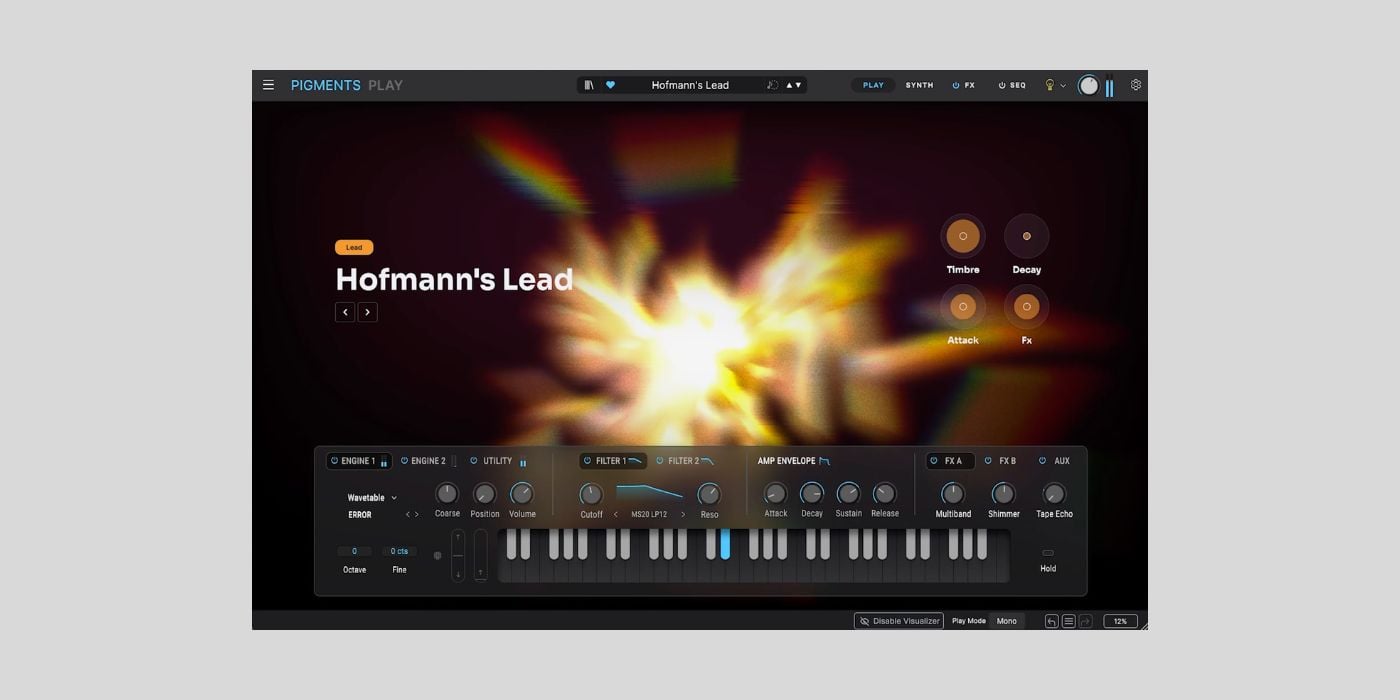
Arturia has released Pigments Play, a free software synthesizer powered by its flagship Pigments instrument.
Pigments Play is not the full version of Pigments, but it gives you a free and approachable way to use some of its sound engine and preset content. It feels like Arturia’s Pigments equivalent of Analog Lab Play, which we covered when it launched back in 2023.
The free instrument includes 100 curated presets created by expert sound designers from Pigments. The included sounds cover modern pop, R&B, garage, house, drum and bass, trap, ambient, and other production styles.
The main idea here is fast preset browsing and simple sound shaping, and I like that in a Pigments-powered synth. Instead of opening the full Pigments interface with all modulation, sequencer, and sound-design pages, Pigments Play uses a focused, audio-reactive Play view that visually changes as you play and edit.

Each preset has four macro controls for Brightness, Timbre, Time, and Movement, plus four effect controls covering two modulation effects, delay, and reverb. The macros are assigned per preset, so the available changes should stay musically useful rather than feeling like generic controls.
Pigments Play still gives you access to quite a lot under the hood. It supports the same six synthesis types as Pigments: Modal, Granular, Wavetable, Sample, Harmonic, and Virtual Analog. It also includes 68 filter modes and 20 effect algorithms.
The difference is that parameter control is limited, and there is no full modulation control, Main view, FX view, Sequencer view, or in-app tutorial like in the paid Pigments version. Pigments Play includes 100 presets, while the full Pigments library has more than 1,700.
For newer producers or anyone who wants to move quickly, that limitation isn’t too bad in my opinion. You can start with a polished preset, adjust the main character of the sound, and stay focused on writing rather than deep programming.
The updated browser lets you filter sounds by type and instrument. Pigments Play also connects to Arturia’s Sound Store, with more than 200 artist and genre-based sound banks, including paid and free content.
Controller support is included, too. Arturia keyboards are mapped automatically, and parameters can be mapped manually to other MIDI controllers. Pigments Play can also be used with a computer keyboard or the built-in virtual keyboard in standalone mode.
Pigments Play runs on Windows 10 or newer and macOS 11 or newer. It works in standalone mode and as a VST, AU, or AAX plugin, and installation/activation is handled through Arturia Software Center.
Download: Arturia Pigments Play (FREE)
Deal of the day 🔥: Get the VATRA mix finisher plugin by Flame Sound!More:
- Arturia Releases FREE Analog Lab Play Virtual Instrument Plugin
- Get 50% off Arturia’s brand-new Pigments 7 synthesizer
Last Updated on August 4, 2026 by Tomislav Zlatic.
