



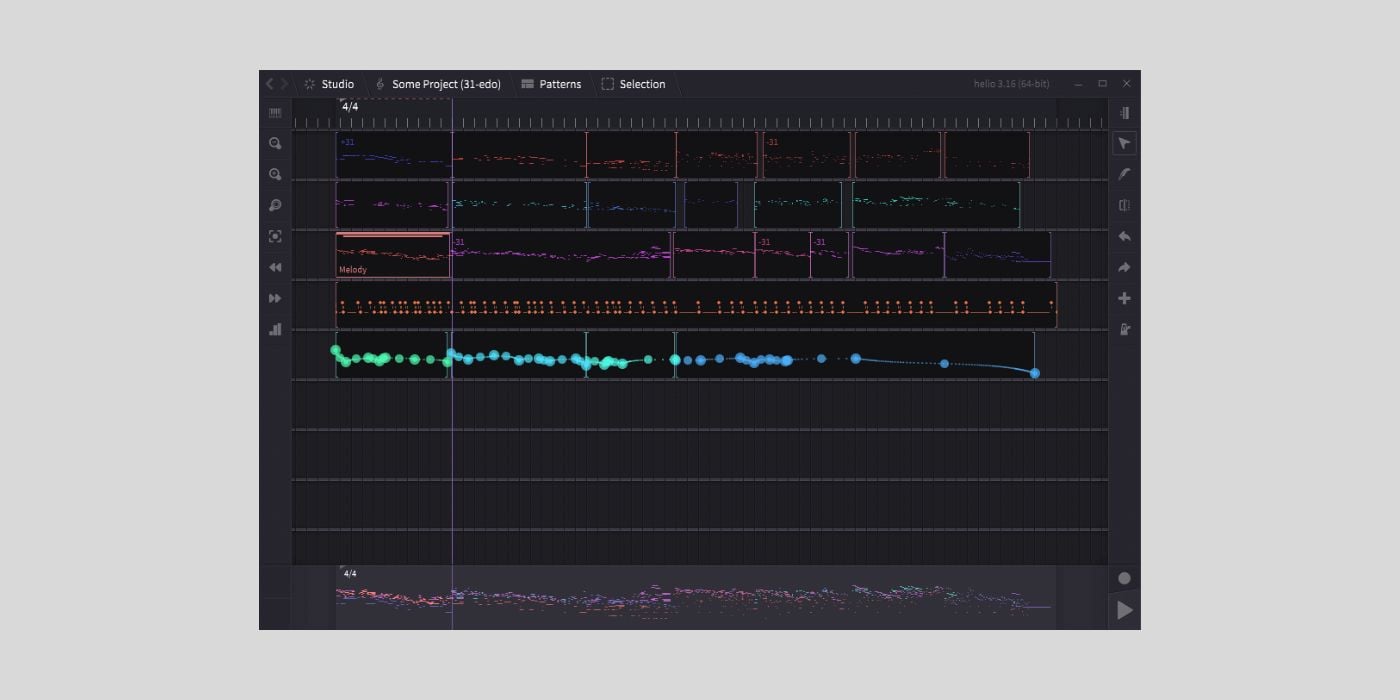
Helio is a free, open-source sequencer that encourages experimentation with exotic scales and microtonal temperaments.
It’s important to note that Helio isn’t meant to take your project from start to finish; it’s for sketching ideas without the distractions or restrictions of a more traditional sequencer.
Helio is available for macOS, Windows, Linux, and iOS/Android devices.
The stripped-back interface centres around two views: the Piano Roll and the Pattern Roll.
The Pattern Roll gives you an overview of your project, where you can see each track on a linear timeline.

You can treat the microtonal Piano Roll as one big canvas for your entire project, and this works well for sketching ideas. Tracks are colour-coded, with the selected track showing as a solid colour, and all others slightly ghosted.
While you can only edit one track at a time in the Piano Roll, it’s useful to see everything; it helps when thinking about chordal overlaps between instruments, etc.
Helio features an Orchestra Pit page where you can scan for available VST instruments.
If you read through the documentation, you’ll see that instrument settings are saved in the application workspace, not the project files. This approach could be a pain if you use specific instrument settings per project, but I can see why it works as a quick, one-size-fits-all method for sketching.
The documentation also gives a few examples of how to set up instruments like Pianoteq and Surge XT for use with different temperaments.
Helio, by default, starts with 12 equal temperament and offers conversion to 19/22/26/31 EDO (equal division of the octave).

You can also create custom temperaments.
The app has a few handy features, like a Chord Tool to experiment with harmony and progressions.
Speaking of chords and sequencing, macOS users should also check out OXO Steps by OXO-Music.
In addition to pitch and tuning, you are also encouraged to experiment with time. Helio offers per-track time signatures, and even if you don’t get too experimental, it might encourage you to do things that are just a little more tedious in your DAW.
However, the implementation and functionality of per-track time signatures have some way to go.
Helio’s basic functions, such as automation, note editing, and more, are easy to find because hovering over any icon triggers a text tip.
That said, the documentation and demo video content could be slightly more user-friendly; a few video walkthroughs would help.
I’m trying out the macOS build, and I haven’t had any installation or crash issues.
The only issue so far is that some things, like polyrhythm support, aren’t where they want to be yet, and that will change with further development.
The idea of a multi-track, microtonal piano roll where you can experiment with new ideas and export anything you want to keep as you go along could be interesting for many people.
Download: Helio (FREE)
More:
- OXO-Music releases OXO Steps, a FREE six-track MIDI sequencer for macOS
- KVEIK 1.2 expands its block-based MIDI sequencer beyond drums
Last Updated on September 14, 2026 by Tomislav Zlatic.
