



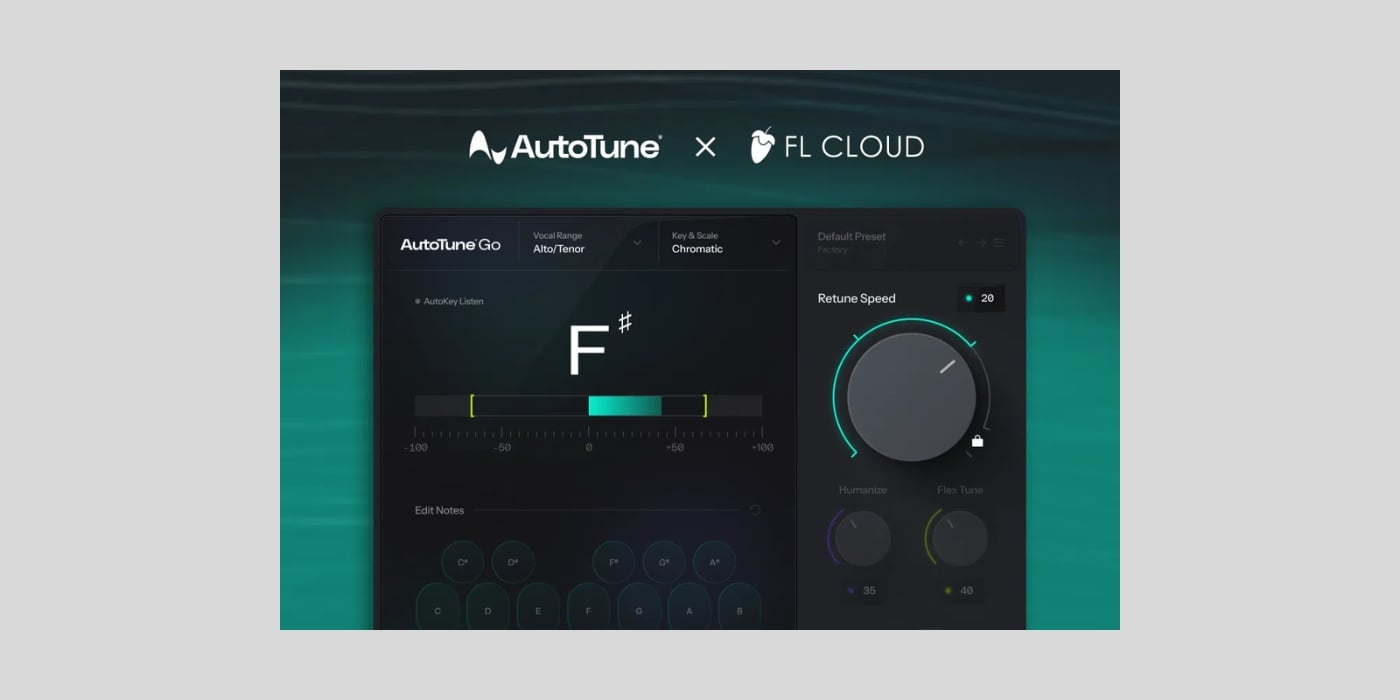
Image-Line has added Antares AutoTune Go to FL Cloud Free, making the vocal pitch correction plugin available to every FL Studio customer at no additional cost.
The paid FL Cloud Plus and Pro tiers include it too, but you do not need either subscription. AutoTune Go is now one of ten instruments and effects included in the free tier.
There’s no official expiry date for this one, so it seems like AutoTune Go will become a permanent part of the FL Cloud Free catalog.
That said, this isn’t the big deal that it probably would have been several years ago. Our guide to the best free autotune plugins covers plenty of excellent alternatives, but FL Studio users can now get a streamlined version of the original technology directly through their DAW.
AutoTune Go focuses on the controls needed for quick automatic vocal tuning. You pick the song’s key and choose a Major, Minor, or Chromatic scale, then set the vocal range manually or let the plugin detect it automatically.
There are four Retune Speed settings. Slower options aim for more natural correction, while the fastest setting produces the intentionally obvious AutoTune sound that we all either love or hate in modern pop, hip-hop, and electronic music.
Obviously, the reduced control makes AutoTune Go approachable if you simply need to tidy a performance or create a hard-tuned vocal without working through the more advanced tools found in Antares’ larger products.
Getting it is fairly easy. In an updated copy of FL Studio, open Tools, select Manage Cloud Plugins, search for AutoTune Go, and click Install.
The FL Cloud Plugins application is installed with recent versions of FL Studio, and the plugin is automatically added to FL Studio’s database. An internet connection is required for installation, and you need to be logged in to the Image-Line account associated with your FL Studio license. FL Cloud plugins can be activated on up to three computers.
Image-Line supplies its cloud plugins in VST3 format. The company says they can also open in other VST3-compatible DAWs, but installation and authorization remain tied to FL Cloud, and authorization errors are only displayed properly inside FL Studio.
AutoTune Go follows the current FL Studio system requirements. It supports Windows 10 and 11, plus macOS 10.15 or newer on Intel and Apple Silicon Macs.
Download: Antares AutoTune Go via FL Cloud Free (FREE for FL Studio users)
Deal of the day 🔥: Get the VATRA mix finisher plugin by Flame Sound!More:
- The best FREE autotune plugins in 2026
- Saint Mike DSP releases PitchCure, a FREE vocal pitch correction plugin
- United Plugins releases TrapTune Core, a FREE autotune plugin
Last Updated on September 16, 2026 by Tomislav Zlatic.
