



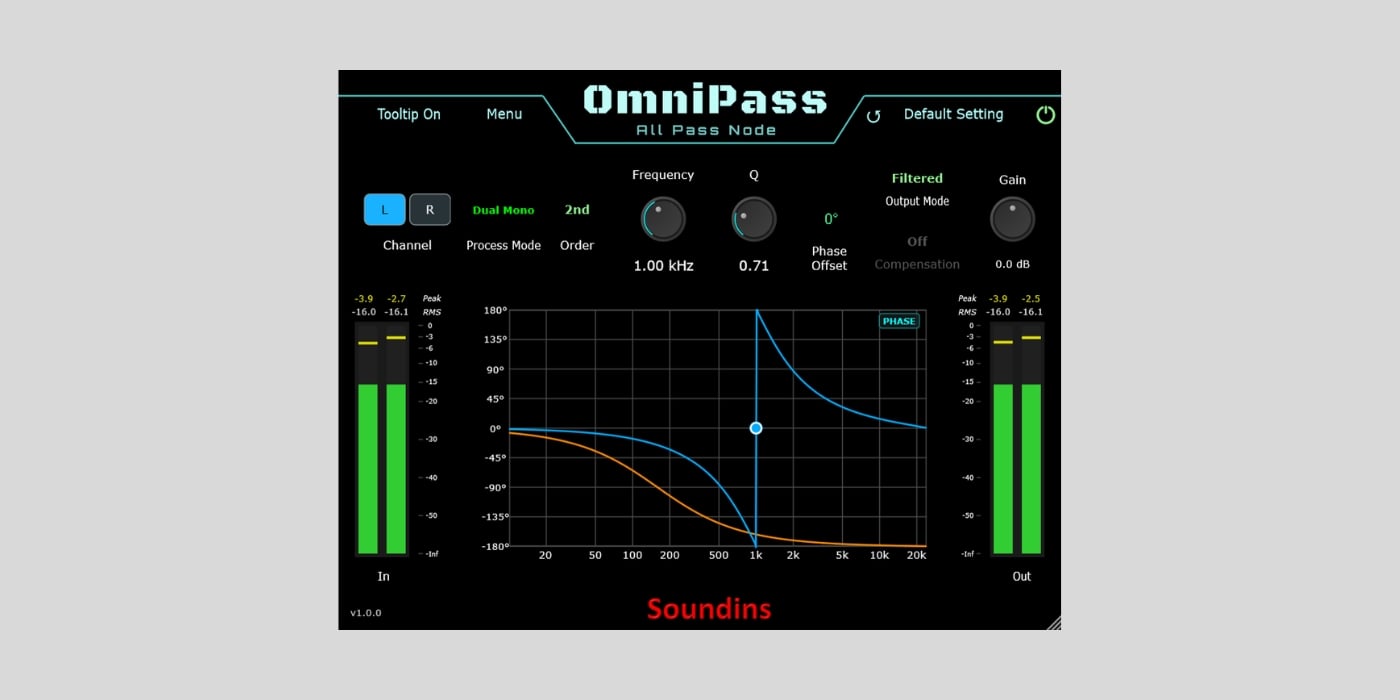
Soundins has released OmniPass, a free all-pass filter plugin for phase alignment and sound design on macOS and Windows.
An all-pass filter is a slightly unusual tool. I mean, for starters, it sounds weird. A filter that passes everything through. What’s the point?
Unlike a conventional EQ, it keeps the response flat, so it does not directly boost or cut any frequency range. But the trick is that it changes the phase relationship between frequencies.
This can help when two recordings of the same source do not combine properly. The most common examples of something like this are multi-miked drums, layered recordings, and, of course, live speaker systems where phase interaction can make the combined signal sound thin or uneven.
The cool thing here is that OmniPass does not apply the same time shift across the entire signal like a standard delay. Its phase rotation changes with frequency, which makes it useful when a simple track delay cannot solve the problem.
If you want the automatic time-alignment approach instead, we recently covered ConjureAlign, which compares a track with a sidechain reference and calculates the required delay.
OmniPass provides first-order and second-order filter modes. Center Frequency selects the midpoint of the phase shift (90 degrees for first order and 180 degrees for second order), while Q adjusts how sharply the phase transition happens around that frequency.
The Phase Offset button applies an additional 180-degree shift. And instead of doing a regular polarity flip, OmniPass recalculates the filter coefficients to create a constant offset across its phase response.
There are two output modes. Filtered outputs the all-pass-processed signal, while In + Filtered sums it with the dry input inside the plugin. In second-order mode, that summing produces phase cancellation around the center frequency, opening up more creative filtering and interference effects without setting up parallel routing in the DAW.
The optional 6 dB compensation function helps manage the gain change created by constructive interference in In + Filtered mode. Output Gain provides another ±15 dB of adjustment.
Dual Mono mode gives the left and right channels independent filter order, frequency, and Q controls. Stereo links frequency and Q while keeping filter order independent, and Matched forces all filter settings to follow the active channel. The latter is intended for mono audio routed through a stereo buffer.
There’s an interactive response graph that displays either phase or magnitude and lets you adjust Frequency and Q directly. OmniPass also includes Peak and RMS input/output metering, peak hold, preset saving, tooltips, bypass, and ten levels of undo.
It’s a direct free download, with no account, email address, checkout, or plugin manager required. The macOS DMG is approximately 12.4 MB, while the 5.5 MB Windows RAR contains an EXE installer.
OmniPass v1.0.0 supports VST, VST3, AU, and AAX formats. It requires Windows 10 or 11, or macOS 10.15 or newer, with native Intel and Apple Silicon support.
Download: Soundins OmniPass (FREE)
Deal of the day 🔥: Get the VATRA mix finisher plugin by Flame Sound!More:
- ConjureDSP releases ConjureAlign, a FREE tool for fixing phase issues
- MeldaProduction releases MFreeformPhase FREE phase adjustment plugin
- Nathaniel Wing’s N-Stereo is FREE for a limited time
Last Updated on September 16, 2026 by Tomislav Zlatic.
