



When mixing, a transient processor can be highly effective for adding focus and balance to a signal while leaving the dynamics intact. We’ll explore the best free transient shaper VST plugins and consider some scenarios in which they might be useful.
These processors vary in design from simple interfaces with only a few controls that rely primarily on the level-dependent processing algorithms in the backend to more complex plugins that give you more hands-on control.
Each of these plugins has its own specific sound, so always keep your workflow in mind. This is usually the best way to find one that suits your purpose.
FREE Transient Shaper Plugins
- Audec Transient – Precise transient control with visual feedback.
- Dimethoxy Audio Disflux – Extreme, sweeping transient mangler.
- VoS FeenstaubTX – Transient-driven mix buss exciter with analog glue.
- Flux BitterSweet v3 – Classic one-knob transient shaper, clean and musical.
- Techivation T-Puncher Free – Beginner-friendly one-knob punch control.
- Auburn Sounds Couture – Advanced transient sculpting.
- Sonic Anomaly Transpire – Nonlinear transient shaping with natural results.
- Low Wave Studios SpikeQ – Multiband transient shaper with EQ targeting.
- Surreal Machines Crack – Simple shaper with built-in limiter/clipper.
- Wavesfactory Flash – Clean transient shaper with M/S balance and clipper.
- Kilohearts Transient Shaper – Minimalist transient shaping tool.
- Apisonic Audio Transperc – Focused shaping with built-in band-pass filter.
- Seed To Stage Transient Shaper – Ableton-only transient control rack.
Audec Transient
Best for precise, visual transient shaping with fast workflow.

Transient by Audec has a simple name, but it’s one of the most feature-packed transient shapers on this list.
Most importantly, the included features aren’t there just to make the GUI look cool. Audec selected and implemented functionality that makes transient shaping easier and more intuitive.
The main Shaper section offers the standard Attack Gain, Release Gain, Attack Time, and Release Time parameters, giving you precise control over your transients.
The convenient Scope display shows input and output waveforms, so you can see exactly what you’re doing to the transients.
The Clip section adds some color with its soft clipping feature, and the adjustable gain makes it easy to control the amount of added saturation.
Audec’s thrown in some excellent usability features, too, like shift-and-drag fine-tuning and double-click reset for the knobs.
I like this added convenience so much that Audec Transient is my second-most-used transient plugin. It’s quick and straightforward while providing some handy workflow enhancements to help me work faster.
Pros
- Attack/Release Gain + Time for surgical shaping
- The scope display provides instant visual feedback
- Soft clipper and handy fine-tune/reset gestures
Cons
- None
Dimethoxy Audio Disflux
Best for bold, aggressive transient mangling with a creative twist.
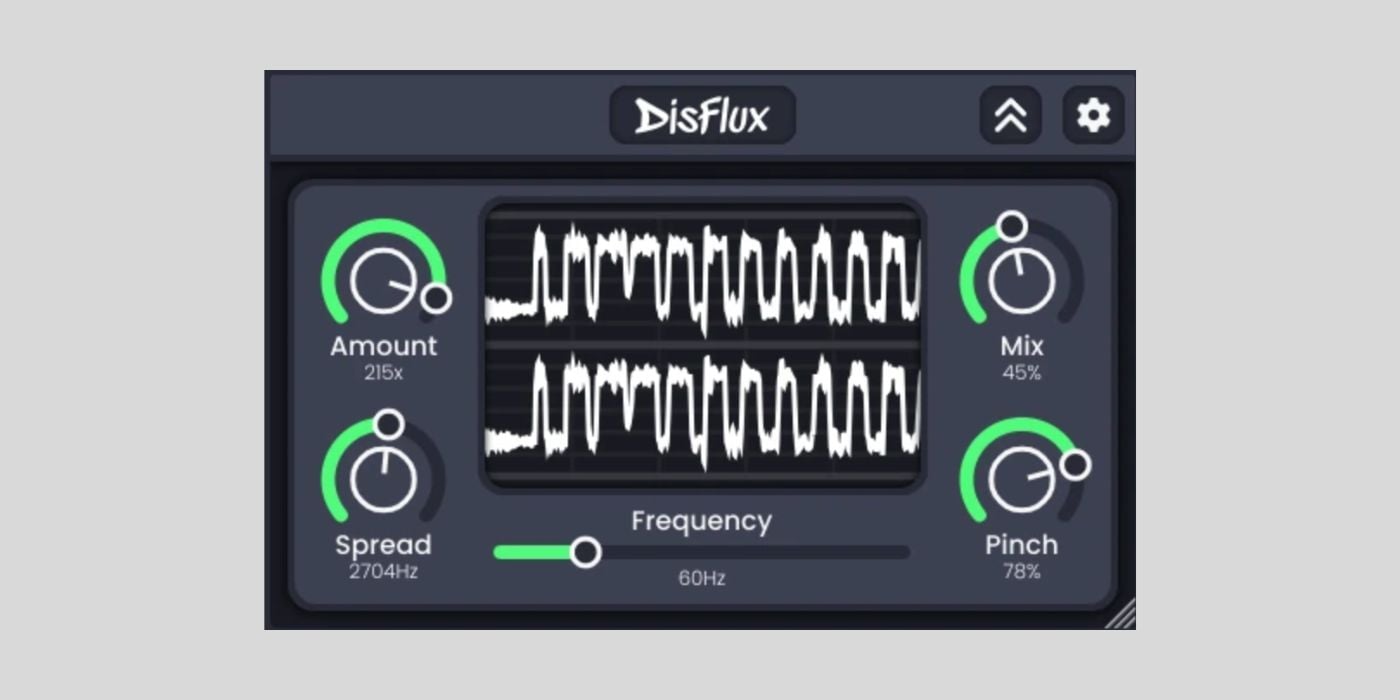
Disflux is a free, open-source transient effect that doesn’t behave like a typical transient shaper. Instead of a simple attack/sustain envelope, it uses a chain of all-pass filters to smear transients through time, producing a laser-like sweep that feels like a short reverb plus a pitch dive.
On kicks, that sweep adds punch and weight without drowning the hit; I get a satisfying, in-your-face thump that stays tight for trailer booms and hard electronic drums.
The minimalist GUI scales nicely, CPU use is low, and there’s no tracking or other bloat. It’s cross-platform (Win/Mac/Linux) and comes in VST3, CLAP, LV2, and AU, so it slots into any setup.
If you’re after delicate enhancement, this isn’t it; Disflux shines when I want to mangle transients creatively and make hits feel larger-than-life. For me, it’s a no-brainer on sound-design-heavy kicks, snares, and impacts where “safe” tools fall flat.
Pros
- All-pass “time smear” creates a unique sweep attack
- Adds punch/weight without washing out the source
- Free, open-source, low CPU, and cross-platform
Cons
- Too extreme for subtle transient touch-ups
VoS FeenstaubTX
Best for subtle mix-bus glue with transient-triggered color.

FeenstaubTX is a free transient shaper by Variety of Sound, a respected developer known for high-quality free plugins on Windows. Sadly, VoS plugins (including this one) don’t work on macOS.
The plugin is designed to work best with complex stereo material, balancing audio in three dimensions: timbre, dynamic structure, and stereo field distribution.
FeenstaubTX operates in a mid-side configuration, offering identical controls for each channel, including intensity adjustments, TRIM function, and soloing capabilities.
My favorite feature is the Cross-Channel Processing function, which makes it possible to use the intensity of one channel to perform signal saturation or expansion in the other.
The plugin also includes a Range knob per channel to adjust the transient detection window, allowing for more granular control and making it possible to simulate the imperfections of analog hardware processors if needed.
One interesting trick here is to widen the transient detection window, making the processing more aggressive and natural-sounding while sacrificing precision.
Pros
- Transient-driven saturation & gentle expansion
- Tube/Solid-State/Transformer color modes
- Mid/Side workflow for focused bus work
Cons
- Windows-only
Flux BitterSweet v3
Best for clean, musical results with a simple one-knob workflow.
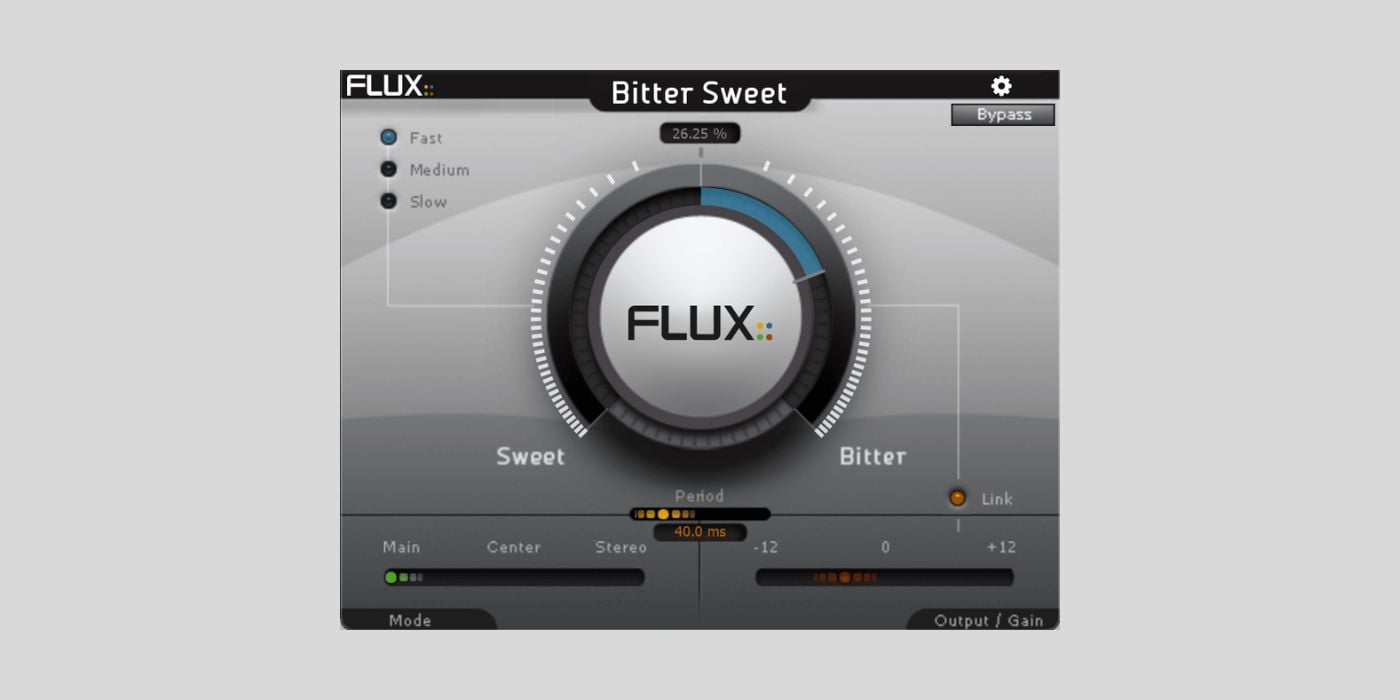
BitterSweet v3 is a freeware transient processor from Flux Audio, one of the world’s most renowned plug-in developers.
Although it’s a slightly scaled-down version of the flagship BitterSweet Pro, it’s still a highly effective transient shaper with various capabilities.
Each plug-in instance can process 8 channels simultaneously, making it suitable for an entire drum kit. The three different operating modes are specialized for different types of processing. “Main” deals with stereo signals and allows you to work on multiple input channels.
Meanwhile, the other two are mid/side modes. “Centre” works only with the mid-channel, and Stereo processes the side channel exclusively. This makes BitterSweet a versatile tool in different situations, whether you choose to use it before or after compression.
Pros
- Single-knob workflow with pro modes beneath
- Clean sound; great for subtle punch or softening
- Built-in soft clipper and gain compensation
Cons
- Not designed for extreme, creative mangling
- Old plugin, dated interface
Techivation T-Puncher Free
Best for instant transient adjustments with zero learning curve.
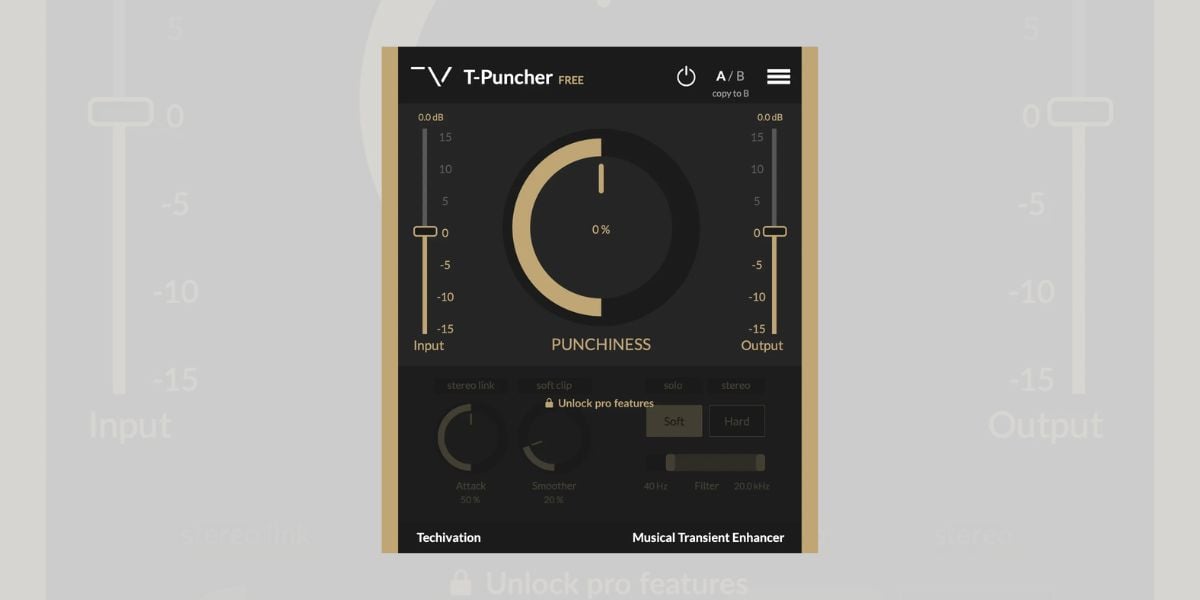
T-Puncher Free is the simplified freeware version of Techivation’s premium transient shaper plugin. It removes some of the additional features while keeping the core functionality.
The plugin features a single-knob design, allowing users to boost or reduce transients in a single move. This makes it exceptionally easy to use for beginners.
I find T-Puncher particularly useful for shaping drum transients in a complex, layered drum part. It makes it easy to grow through the layers and quickly adjust the punchiness with a few mouse clicks.
T-Puncher FREE supports VST, VST3, AU, and AAX formats on Windows and macOS. I highly recommend it to beginners and sound designers who want to save time while processing multiple drum layers.
Pros
- One-knob workflow for instant punch control
- Low CPU, modern UI
- Great for layered and complex drums
Cons
- Limited controls versus the full paid version
Auburn Sounds Couture
Best for ultra-precise, level-independent attack/sustain sculpting.
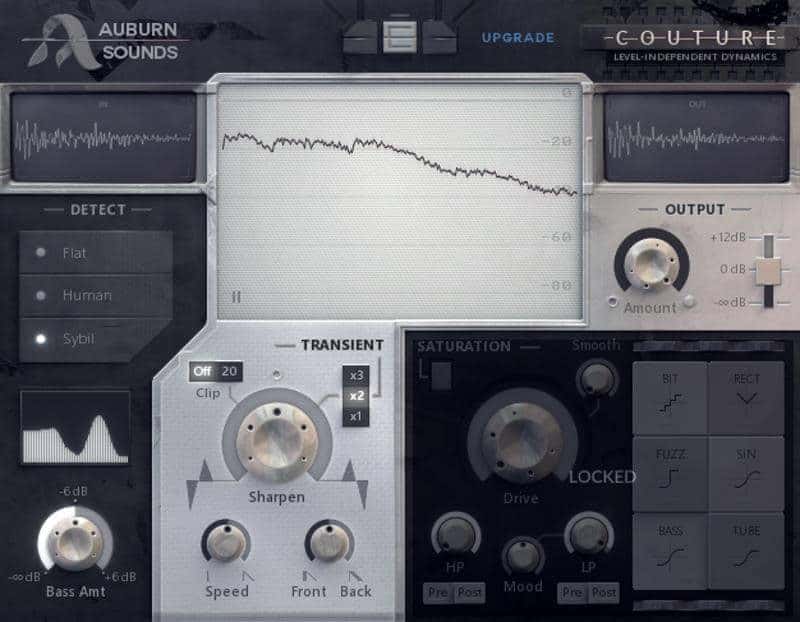
Couture takes a slightly different approach to transient processing.
It’s a level-dependent processor, which means it reacts more aggressively or subtly according to the volume of the input signal. Although the Freemium version has the saturation section deactivated, it’s still a competent processor.
Furthermore, Couture has three different input detection modes.
While “Flat” treats all signals equally, “Human” is a detection algorithm based on the Fletcher-Munson equal loudness contours. “Sybil” can zero in on resonances for tasks like de-essing.
I love that it’s volume-independent; I can boost or cut attack/sustain without riding input gain, and the level-dependent behavior reacts naturally as I hit it harder.
With each setting, adjusting the Bass Amt knob will change the way the detector reacts to low frequencies. In the Transient section, the Sharpen knob emphasizes different parts of the waveform to varying degrees.
Pros
- True attack/sustain control with multi-mode detection
- Level-independent, musical response
Cons
- Saturation section disabled in the free edition
Sonic Anomaly Transpire
Best for transparent transient control with intelligent non-linear behavior.
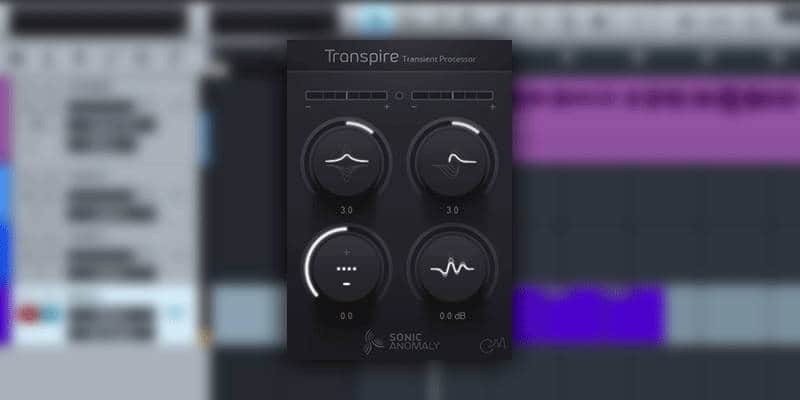
Transpire looks simple, but its standout is a non-linear response. Small transients are affected more than large ones.
Instead of processing transients at a particular threshold, Transpire works harder on the lower levels of a signal while keeping the more prominent transients intact.
That means subtle details come forward while big hits don’t overshoot, which is ideal on busy percussion where I want clarity without spikiness.
The Sensitivity control sets how easily transients are detected (I lower it for non-percussive material), and there’s a built-in hard clip at -0.1 dB to catch peaks. It started life as a JSFX/VST for Reaper/Windows, later gaining a GUI and 64-bit support, and it remains lightweight in use.
The only quirk I notice is the reported plugin delay (around 95 samples), which is minor for mixing.
Pros
- Non-linear action enhances small details naturally
- Simple controls with effective Sensitivity
- Built-in hard clip at -0.1 dB
Cons
- Some added latency (small PDC)
Low Wave Studios SpikeQ
Best for surgical multiband transient shaping.
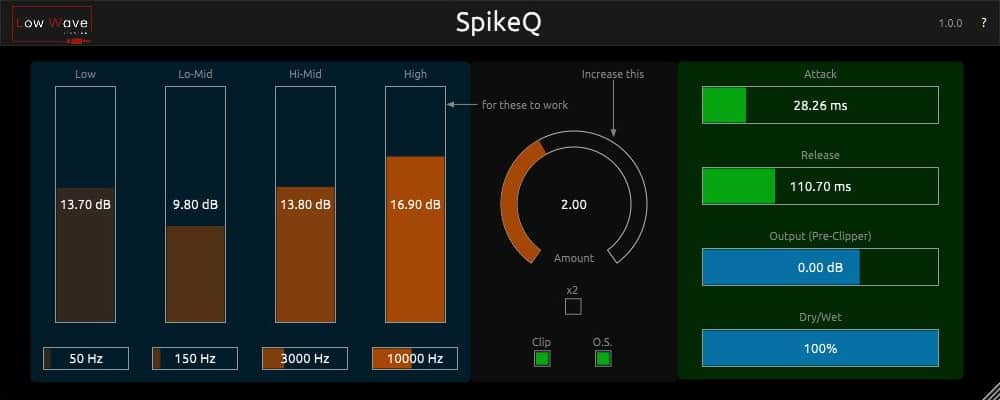
SpikeQ is a free multiband transient shaper available in 64-bit AU and VST3 formats for macOS and Windows.
Multiband transient shapers are quite rare, especially when they are free. That’s why this gem from Low Wave Studios should probably find a place in your plugin arsenal.
SpikeQ combines standard transient shaping controls—attack, sustain/release, and gain—with 4 semi-parametric EQ bands (low/high shelves and 2 peak bands).
This added EQ functionality lets you boost specific frequencies within the transient portion of the sound for more surgical precision.
The plugin features an aggressive transient shaping algorithm with an x2 Amount switch for more extreme effects, but it can also apply subtle boosts without becoming harsh. It also includes a clipper section with oversampling to reduce aliasing and phase distortion while remaining CPU-efficient.
The GUI is fine, but there’s a bit of a learning curve involved until you figure out how the whole thing operates.
Thanks to BPB reader Joe for suggesting SpikeQ.
Pros
- Transient + 4-band EQ for frequency-focused attack
- ×2 Amount for extreme settings
- Clipper with oversampling keeps peaks clean
Cons
- Higher learning curve
Surreal Machines Crack
Best for quick, clean drum shaping with built-in peak control.
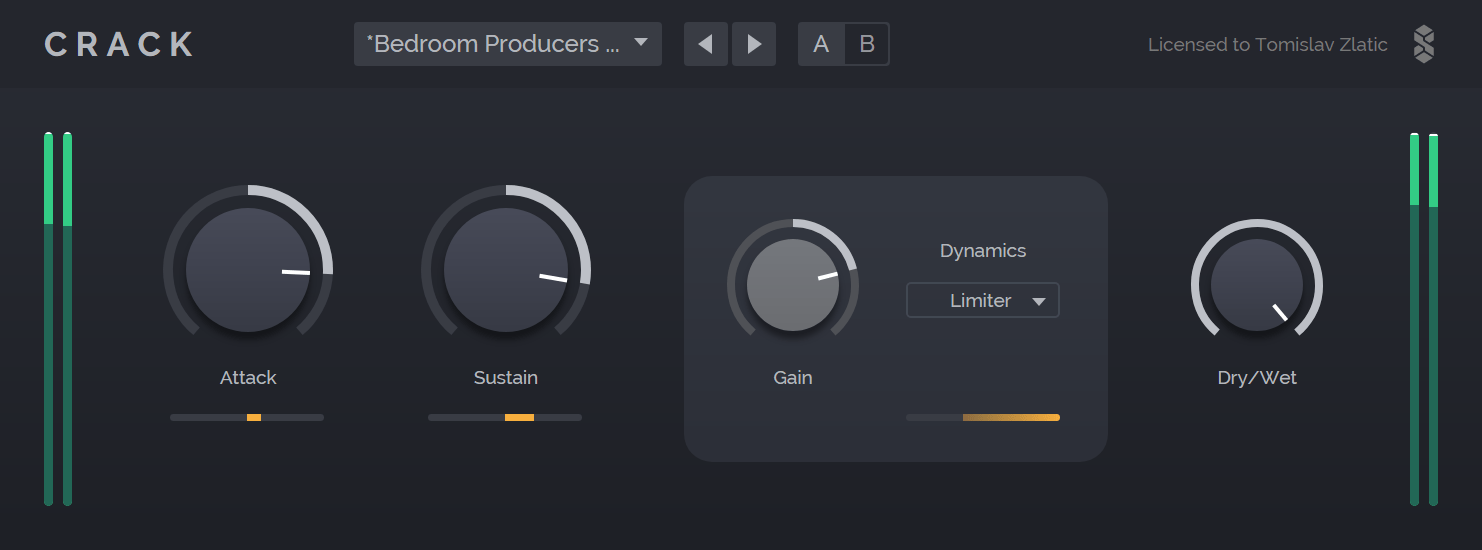
Crack is excellent if you need a lightweight transient shaper for use on multiple drum channels. Its straightforward interface is easy to grasp, but the controls are precise enough to make finer adjustments.
Attack and Release do precisely what you expect, Gain trims the output, and the Dry/Wet knob makes parallel shaping effortless.
The output stage, however, is the secret sauce. Use the Thru mode for untouched dynamics, Clip for analog-style soft clipping, Limiter for custom peak control, and Maximizer tuned for transient material.
Those modes keep levels under control when you crank the attack, and they add just enough color if you want it. It’s efficient enough to run on many tracks at once, which makes it a handy mix workhorse.
The overall sound is clean, and it’s easy to grasp for beginners, yet precise enough for fine transient tweaks.
Pros
- Straightforward controls with Dry/Wet for parallel
- Clip/Limiter/Maximizer modes keep peaks in check
- CPU-light; great across many tracks
Cons
- None.
Wavesfactory Flash
Best for fast, transparent results with handy M/S and mix control.
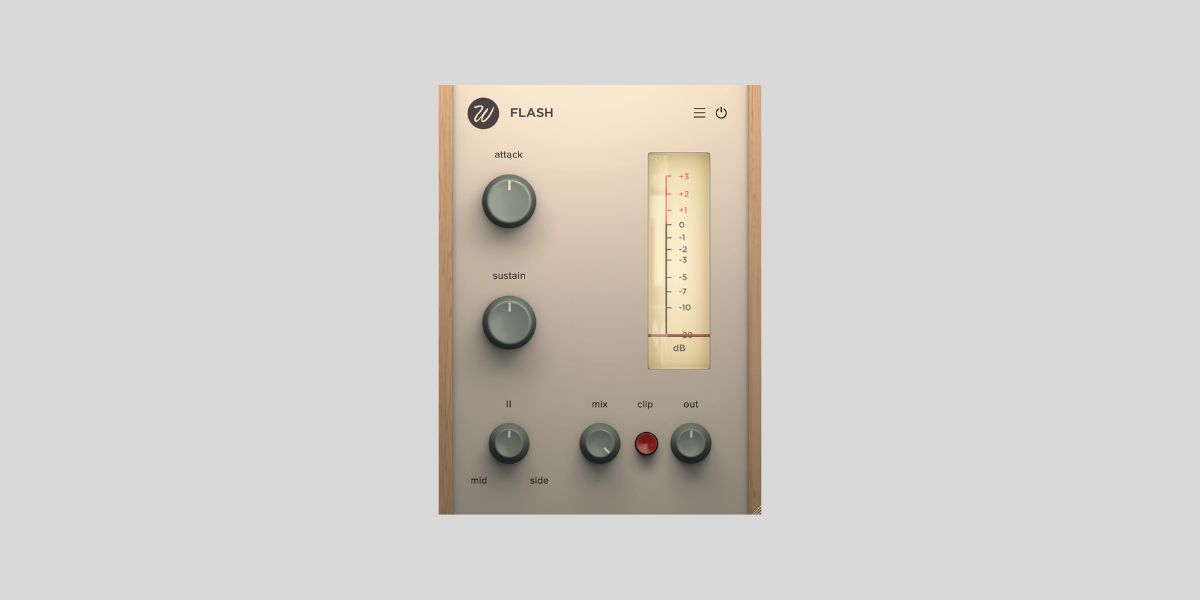
Flash is a free transient shaper by Wavesfactory. It is available for both Windows and macOS and comes in VST, VST3, AAX, and AU plugin formats, with native support for both Apple Silicon and Intel-based Macs.
The plugin offers a sleek interface with Attack and Sustain controls, a Mid/Side knob, and a handy gain reduction meter to help you monitor the amount of transient processing.
Despite its vintage-looking GUI, Flash is quite precise at shaping the sound’s initial impact and handling the sustain. It is modern audio DSP code at its best.
I love that Wavesfactory included a mix knob, enabling easy parallel processing. It lets Flash add snappiness to drums, guitars, and keys without sounding unnatural. You can dial in just the right amount of transient shaping, keeping your sounds punchy but not overprocessed.
Another cool feature is the built-in clipper on the output path, preventing unwanted signal overages when manipulating transients.
Pros
- Clean, fast transient shaping
- Mid/Side balance and Mix for parallel
- Built-in clipper prevents overs
Cons
- More on the subtle side versus heavier shapers
Kilohearts Transient Shaper
Best for super lightweight transient control and use with modular Kilohearts plugins.
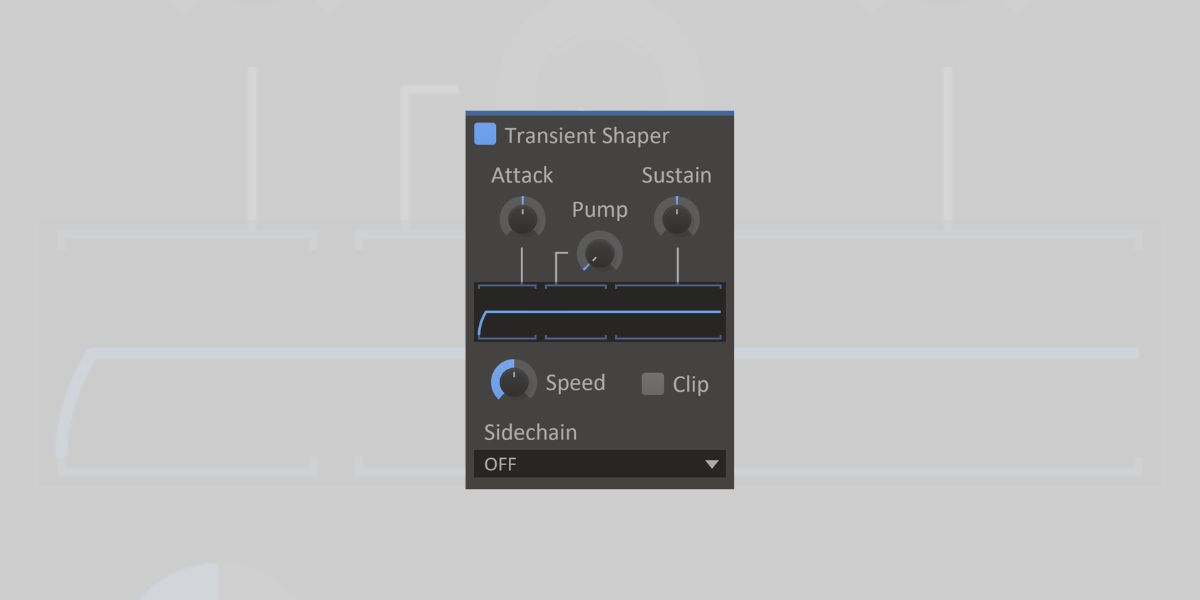
Kilohearts Transient Shaper offers three simple but effective controls: Attack (boost/cut the initial hit), Pump (a post-transient dip to emphasize attack), and Sustain (shape the tail).
There’s also a Speed parameter to set the response time, and the optional output clipper guards against peaks.
It’s part of the free Essentials bundle, so it’s lightweight and runs smoothly in large numbers. I also like that it doubles as a “Snapin,” so inside Snap Heap or Multipass, you can build elaborate chains and modulations. For example, you can stack multiple shapers, add filters or delays, and get creative.
On its own, it’s a no-nonsense transient utility that’s perfect when you want direct control without coloration. On the other hand, in the Kilohearts ecosystem, it becomes an essential modular building block for complex transient treatment.
Thanks to BPB readers Christian H. and Jamie M. for suggesting Kilohearts Transient Shaper in the comments section.
Pros
- Attack/Pump/Sustain and Speed controls are super intuitive
- Clean sound and very low CPU
Cons
- Truly shines inside Snap Heap/Multipass (which aren’t free)
Apisonic Audio Transperc
Best for targeting specific frequency bands with simple controls.

Transperc is a simple transient shaper from Apisonic Audio. Despite its simplicity, Transperc has a standout feature I love using when processing drums.
That feature is the built-in filter, which lets me focus the transient shaping on a specific part of the signal. So, for example, I can ensure that the plugin only affects the “snap” part of a kick drum without touching anything else.
Apart from that, Transperc offers the typical features of a transient shaper – attack and sustain knobs, an envelope speed control, and mix controls.
Another handy feature is the built-in clipper. It helps prevent clipping if you’re using Transperc to apply excessive amounts of transient boosting.
Pros
- Built-in band-pass to focus processing
- Wet/Dry control and Envelope Speed
- Built-in clipper for peak control
- Very low CPU
Cons
- None.
Seed To Stage Transient Shaper
Best for Live users who want mapped macros and parallel transient tricks
Seed To Stage isn’t a plugin. It’s a macro-controlled Ableton Live rack that shapes transients using Live’s stock devices.
I like it because it’s feather-light on CPU, easy to drop on any track, and works flawlessly inside Ableton.
You get independent Attack and Sustain controls with adjustable lengths, plus a global intensity. The built-in Saturation knob adds a touch of harmonics, a Bass parameter lets me keep low-end clean by reducing processing there, and Makeup Gain compensates level changes.
Where it shines is parallel use. For example, on a return track, you can drive an aggressive transient contour and blend it beneath the dry drums for that NY-style punch without killing dynamics.
So, for Live users who don’t want to hunt for plugins or fiddle with Max devices, this rack fills the gap elegantly.
Pros
- Attack/Sustain length controls mapped to macros
- Minimal CPU; perfect for parallel returns
- Saturation and Bass focus for smarter shaping
Cons
- Live-only; not a cross-DAW plugin
Free Transient Shapers: Honorable Mentions
Here are a few more transient shaper plugins, just in case you’re looking for more options:
- TRAX by Analog Obsession
- SpikeQ by Low Wave Studios
- ATKTransientShaper by Matthieu Brucher
This article was last updated by Tomislav Zlatic on September 24, 2025. Spectral Audio Pancz was removed from the list because it is no longer available.
The author, Tomislav Zlatic, is the founder and editor-in-chief of Bedroom Producers Blog (BPB). Since starting BPB in 2009, he has tested and reviewed hundreds of VST plugins.
Return to our Free VST Plugins page for more freeware plugins and instruments.