



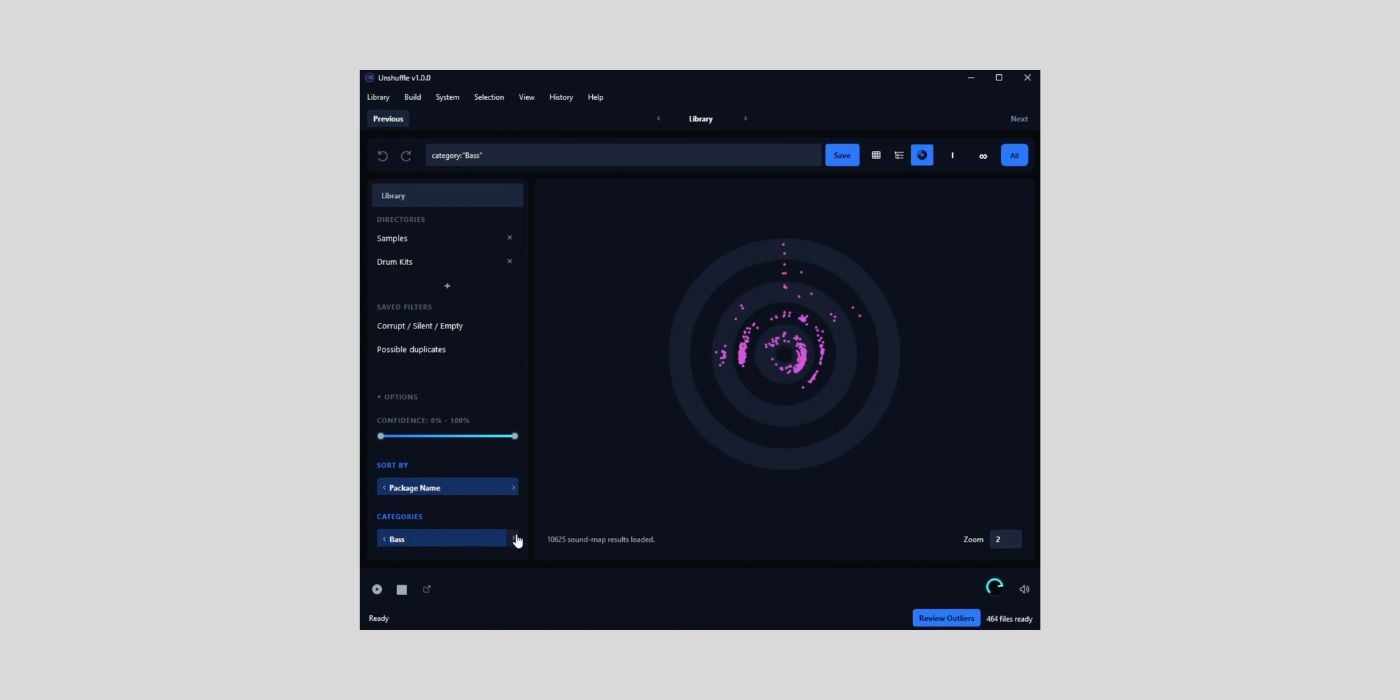
Calloga has released Unshuffle, a free open-source sample library organizer for Windows, macOS, and Linux.
Unshuffle is designed for producers with messy sample folders, which is probably most of us at some point. My main samples are nicely sorted into folders, but I have an insane amount of other samples scattered across hard drives, mostly downloads that I haven’t tested.
A tool like Unshuffle can help with that. It scans your sample library, classifies the files, lets you review the results visually, and then builds a structured library only after you confirm the plan.
Now, I’ve been absolutely bombarded lately with AI-assisted tools landing in the BPB inbox, and most of them have been terribly generic or just poorly made.
Unshuffle is different. It is a good example of someone with a clear idea and actual domain knowledge using AI tools subtly to move faster, not to vibe-code a random product from scratch.
I asked the developer, Papa Abdou Calloga, how and if AI was used. The website and app didn’t have that generic AI-generated feel, so I wondered if AI was used at all.
He explained that he designed the architecture and handled the core classification systems, including the filename/folder heuristics and the audio analysis side. AI was used mostly for UI plumbing, tests, boilerplate, repetitive implementation patterns, and code review near the end of development.

And that makes sense, because the app feels well-made.
Unshuffle combines structure-based classification with audio-based analysis. It looks at file names, folder names, pack names, length, BPM clues, musical key labels, and audio characteristics to decide whether a file is a loop, one-shot, utility file, duplicate candidate, or something that needs review.
Also, the app separates review from file operations. Editing classifications inside Unshuffle changes the virtual library, not the original source folders. Files are only copied or moved after you open the Build section, choose a destination, compare the planned folder layout, and confirm the operation.
There are multiple ways to review a library. The table view is for detailed checking and bulk edits. The tree view shows the planned folder structure and supports drag-and-drop classification changes. The map view groups samples by acoustic similarity, which should be useful for spotting duplicates, alternatives, or outliers.
Search is also quite flexible. You can search by text or use targeted fields like category, type, pack, tag, source, path, and confidence. That means you can quickly find things like kick loops, warm bass one-shots, files from a specific pack, or samples tagged as possible duplicates.
Unshuffle also includes build history, undo for moved files, saved filters, confidence ranges, category controls, similarity review, and local settings stored per system or inside the library folder for portability.
Because Unshuffle is currently unsigned, Windows and macOS may show security warnings during installation. The manual explains how to open it safely on each platform.
Unshuffle is available as a free download for Windows, macOS, and Linux, and the source code is available on GitHub.
Download: Calloga Unshuffle (FREE)
Deal of the day 🔥: Get the VATRA mix finisher plugin by Flame Sound!More:
- Baton is a FREE iOS app to help you collaborate and organize your unfinished music
- Sonisto launches Freeware Plugin Box and Scan & Organize tools in new Access Manager update
Last Updated on June 18, 2026 by Tomislav Zlatic.
