



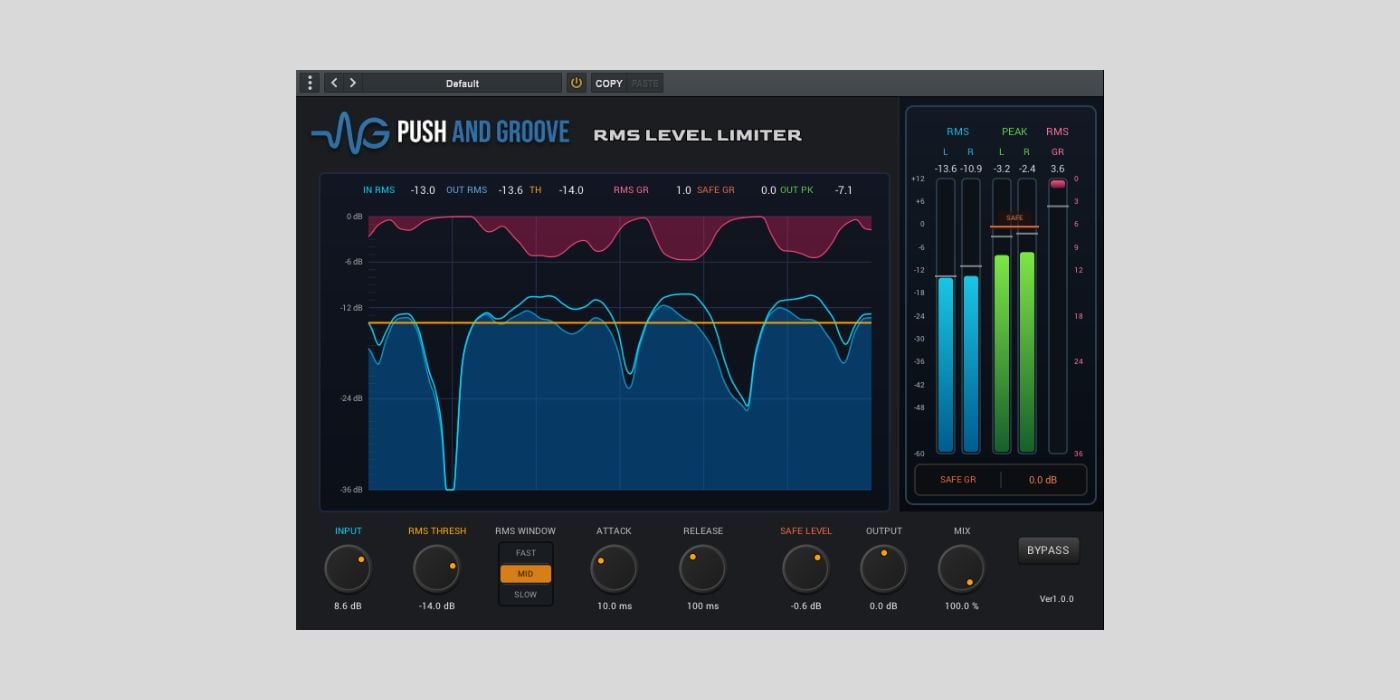
Push and Groove has released RMS LEVEL LIMITER, a free stereo dynamics plugin for Windows and macOS.
We have featured a couple of Takahiro Oishi’s previous releases on BPB, including the free Filtronix filter plugin and the more recent GROOVE60 MIDI timing processor.
RMS LEVEL LIMITER is a different kind of tool. Instead of working like a standard peak limiter that reacts to individual transients, it follows average signal energy using an RMS-based detector.
In practice, that means the gain reduction should move with the body of the sound rather than chasing every short peak. It is designed for smoother level control, with a separate Safe Level stage to catch sudden peaks that remain after the RMS processing.
Overall, I think this is especially useful for voice work. Push and Groove points to YouTube videos, podcasts, narration, and interviews as good examples, where you may want a steadier perceived level without making the processing react too aggressively to every consonant or small transient.
It can also be used on music sources. The developer suggests light RMS control on a master output, drum bus leveling, and smoothing synths, loops, pads, and other material whose average energy changes over time.
There are three RMS Window settings. FAST uses a 50 ms window for drums, bass, percussion, and rhythmic material. MID uses 300 ms and is the suggested general starting point for vocals, guitars, and regular music sources. SLOW uses 600 ms for pads, sustained sounds, buses, and master output.
The main controls are Input, RMS Threshold, RMS Window, Attack, Release, Safe Level, Output, Mix, and Bypass. A typical workflow would be to start with the MID window, lower the RMS Threshold until the RMS gain reduction moves gently, then adjust Attack and Release so the source keeps its natural movement.
The metering section shows RMS L/R, Peak L/R, RMS GR, Safe GR, and output peak, so you can see what the average-level stage and the safety stage are doing separately. If Safe GR stays at zero, that simply means the remaining peaks are not exceeding the Safe Level setting.
One important note is that Safe Level does not necessarily guarantee true-peak compliance. If you are preparing audio for strict streaming or broadcast targets, you should still check the final output with a dedicated true-peak and loudness meter.
RMS LEVEL LIMITER is available as a Windows VST3 plugin and a macOS AU plugin. Some macOS builds may not be notarized, so Gatekeeper approval may be required before rescanning Audio Units in your DAW.
Download: Push and Groove RMS LEVEL LIMITER (FREE)
Deal of the day 🔥: Get the VATRA mix finisher plugin by Flame Sound!More:
