



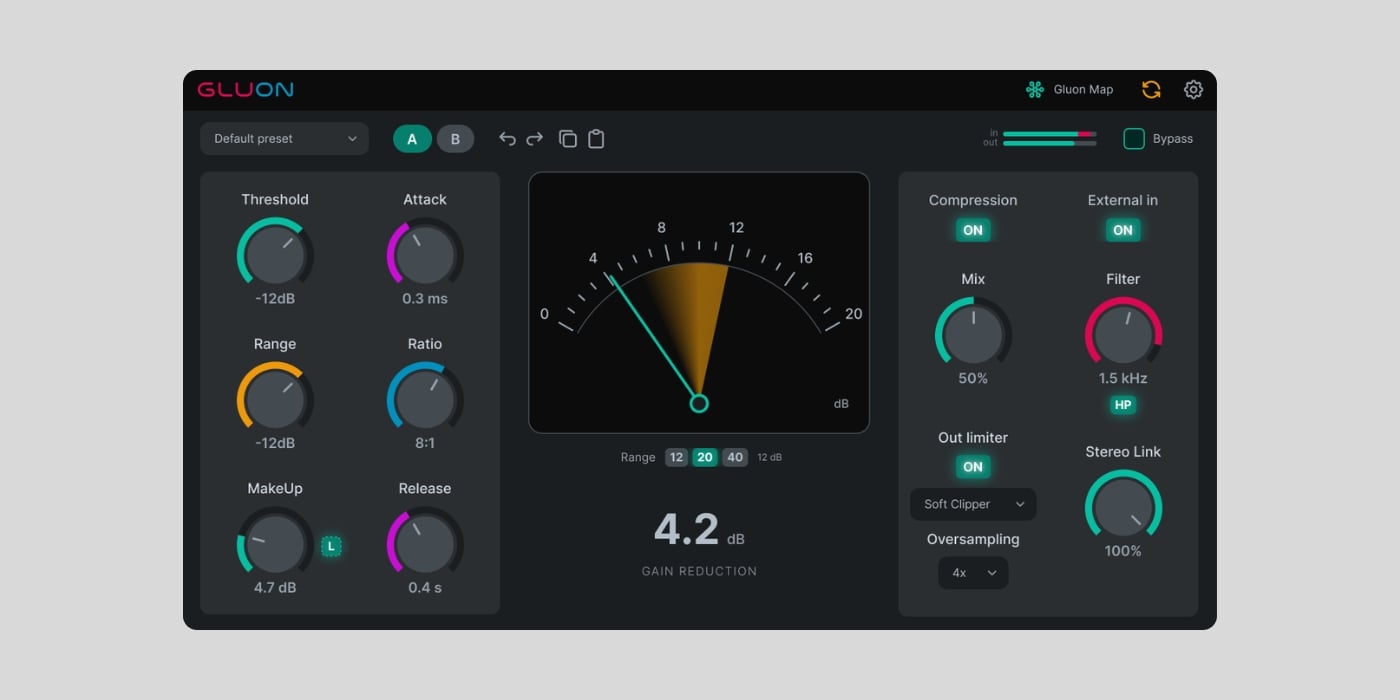
nClear Audio has released Gluon, a free bus compressor for macOS, Windows, and Linux.
You may remember nClear Audio from the free VocRide and Sibalance vocal plugins, which we featured earlier this year. Their new release is quite different, though, and I’m surprised that it’s available for free.
Gluon takes its general direction from the popular console bus compressors of the 1980s, although it doesn’t emulate any specific piece of hardware. You get a familiar set of threshold, makeup gain, attack, ratio, and release controls, along with Range and Mix knobs to limit maximum gain reduction and apply parallel compression.
The available settings also go far beyond the usual glue compressor range, into crushing territory. Attack runs from 0.01 to 60 ms, ratio ranges from 1.5:1 to 20:1, and release ranges from 0.05 to 2 seconds, with an additional Auto mode that adapts to the source.
However, Gluon Map is the feature I really liked, and that sets this one apart from the many other free bus compressors already available.
Every Gluon instance within the same DAW process can appear in a shared table, showing its track name, input and output meters, compression settings, and bypass state. You can open the Map from one instance and adjust another without opening its interface, or select several instances and change them together.
Global Control applies relative changes, so reducing the threshold by 1 dB across several buses preserves the differences between their existing settings. The Map only shares controls and metering; it does not route audio between instances.
There are a few limitations, though. Different plugin formats may not be able to see one another, sandboxed processes can remain separate, and a DAW that keeps several projects in one process may show instances from more than one project.

The MakeUp Learn button is another pretty cool feature. You can play roughly ten seconds of audio, and Gluon compares the incoming signal with the compressed blend before setting a fixed makeup value for a closer level-matched comparison.
The output section offers hard and soft clipping, plus limiting, and can remain active even when compression is switched off. The output stage supports 2x, 4x, and 8x oversampling, although its processing mode and oversampling can add latency.
Other features include an external sidechain, high-pass, band-pass, and low-pass detector filters, stereo linking, five factory presets, user presets, A/B comparison, undo and redo, light and dark themes, and interface scaling from 75% to 200%.
Gluon is free, with no activation or paid feature locks. The download form requires an email address, but the access page opens immediately, and you can select “Download only” to avoid joining the developer’s mailing list. A download link is also emailed to you, and no account password or checkout is required.
On macOS, Gluon supports VST3, AU, and CLAP on macOS 12 or newer, with native Intel and Apple Silicon compatibility. Windows 10 and 11 users get VST3 and CLAP, while the experimental Linux build supports VST3, LV2, and CLAP on x64 systems.
Download: nClear Audio Gluon (FREE)
Deal of the day 🔥: Get the VATRA mix finisher plugin by Flame Sound!More:
- nClear releases FREE Sibalance and VocRide vocal plugins
- The best FREE compressor plugins for Windows and macOS
- A closer look at Waveform Compressor, a FREE plugin by Woodstock Audio
Last Updated on September 24, 2026 by Tomislav Zlatic.
