



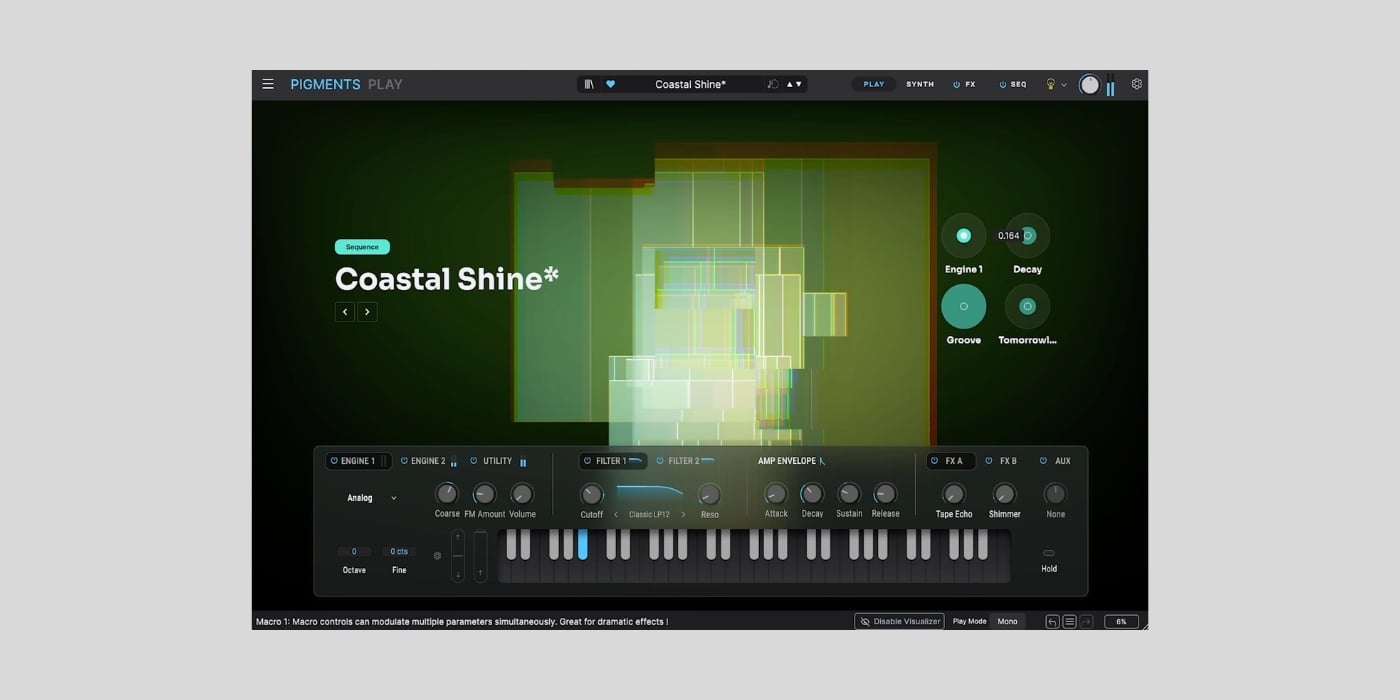
Arturia has released Pigments Play, a free and streamlined edition of its flagship Pigments synthesizer for macOS and Windows.
I think this is one of the biggest freeware synth releases we’ve seen so far in 2026. Pigments is already one of the most capable modern software synthesizers around, and Pigments Play keeps a surprising amount of its sound engine while making it much more approachable.
The free version includes 100 presets covering basses, pads, keys, leads, sequences, and other sounds suited to pop, R&B, house, garage, drum and bass, trap, ambient music, and more.
Its browser lets you filter presets by instrument, type, style, and bank, create playlists, mark favorites, and organize sounds with color tags.
The main Play view combines an audio-reactive visualizer with four preset-specific macros for Brightness, Timbre, Time, and Movement. You also get quick access to two modulation effects, delay, and reverb.
However, this is a lot more than a preset player. Pigments Play uses the same six synthesis types as the full instrument: Virtual Analog, Wavetable, Sample, Granular, Harmonic, and Modal.
It also provides selected controls for the sound engines, filters, amplitude envelope, and effects. There are 68 filter modes and 20 effect algorithms available, and you can save your edited sounds as new presets.

The main difference is editing depth. The full $199 Pigments includes more than 1,700 presets, complete parameter and modulation control, dedicated Main, FX, and Sequencer views, plus its in-app sound design tutorials.
Pigments Play removes those deeper pages and modulation editing, but it retains enough control to reshape presets rather than simply browsing and playing them. I think that makes it a lot more useful and way more fun than a typical free preset player, while still being far less intimidating than the full synth.
The concept is similar to Analog Lab Play, although this one focuses specifically on the Pigments engine instead of presenting sounds from across Arturia’s instrument catalog.
Pigments Play also connects to Arturia’s integrated Sound Store, which contains more than 200 artist- and genre-based banks. These are not all part of the free download: the included library has 100 presets, while the store offers a mixture of additional free and paid banks.
Arturia keyboards are mapped automatically, and the controls can also be assigned to third-party MIDI controllers.
The download process has a few steps. Enter your email address on the product page to receive the installer link. On first launch, you must sign in or create an Arturia account, retrieve the free license, and activate it. Arturia Software Center can then handle installation, activation, and future updates.
Pigments Play runs standalone and in VST2, VST3, AU, and AAX formats. It requires 64-bit Windows 10 or later or macOS 11 or later, and Arturia lists 4 GB of free storage as a requirement.
Download: Arturia Pigments Play (FREE – email and Arturia account required)
Deal of the day 🔥: Get the VATRA mix finisher plugin by Flame Sound!More:
